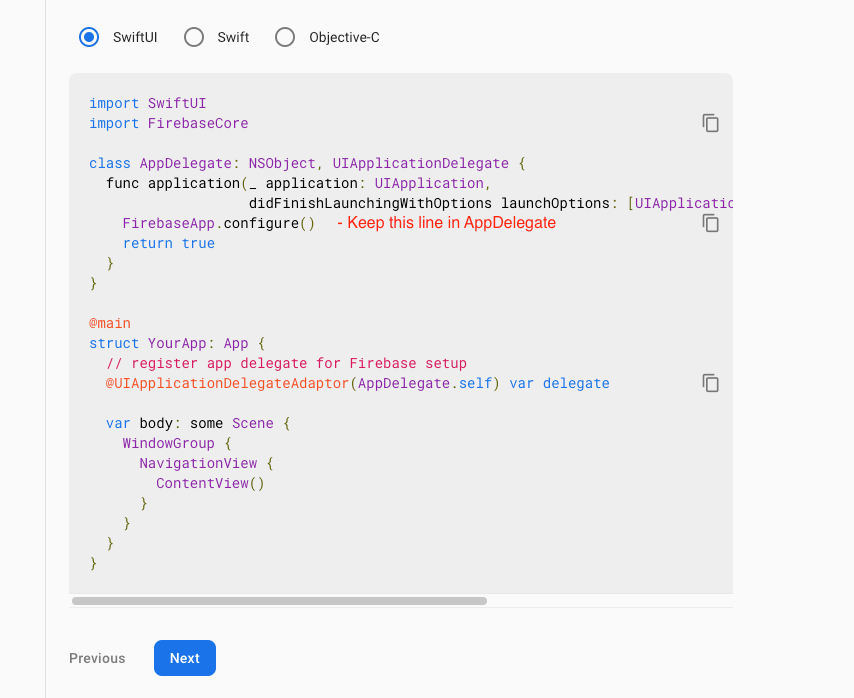
Firebase Setup:
If you haven’t Firebase Project Account ? Click here for create project https://console.firebase.google.com/


NOTE :
Make sure that you enter the package name and Bundel Id that your app is actually using. You
cannot add or modify this value after you register your app with your Firebase project. Both
package name as well as Bundel Id should be matched.
ANDROID:
- Select an Android app in the firebase console.
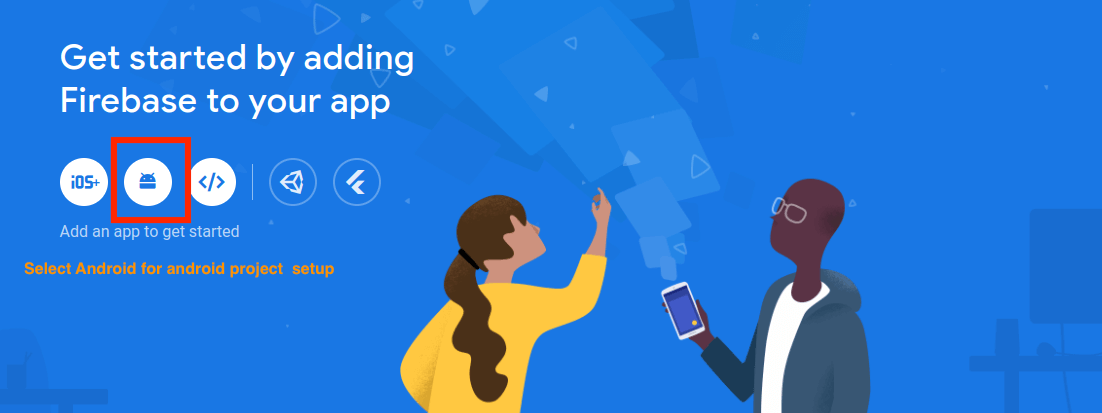
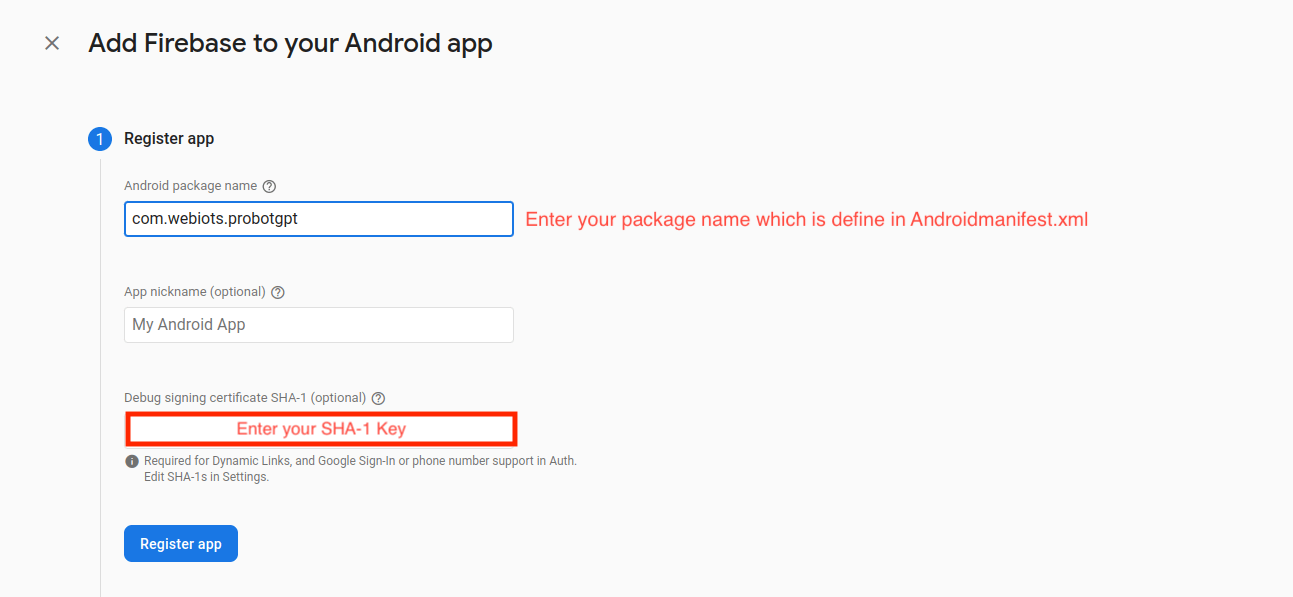
- Write project package name and SHA-1 Key.
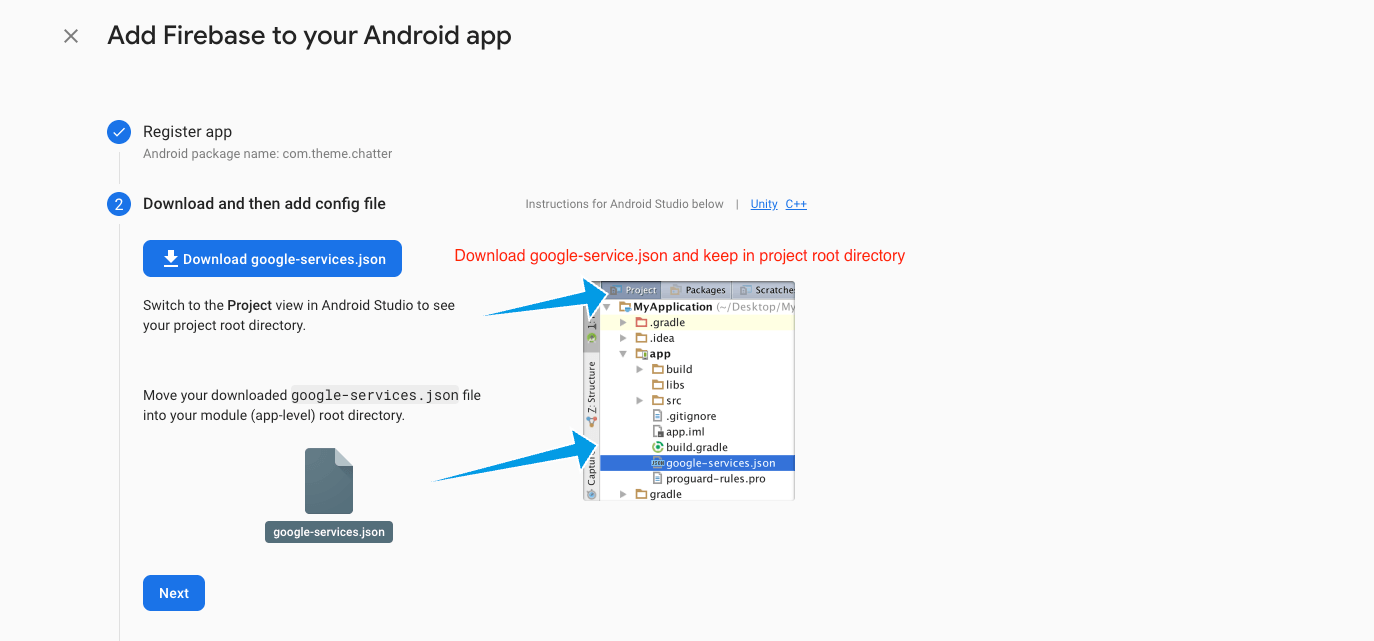
- Download google-service.json file and keep in project root directory.
- Example Probot(Project Name) -> android -> app

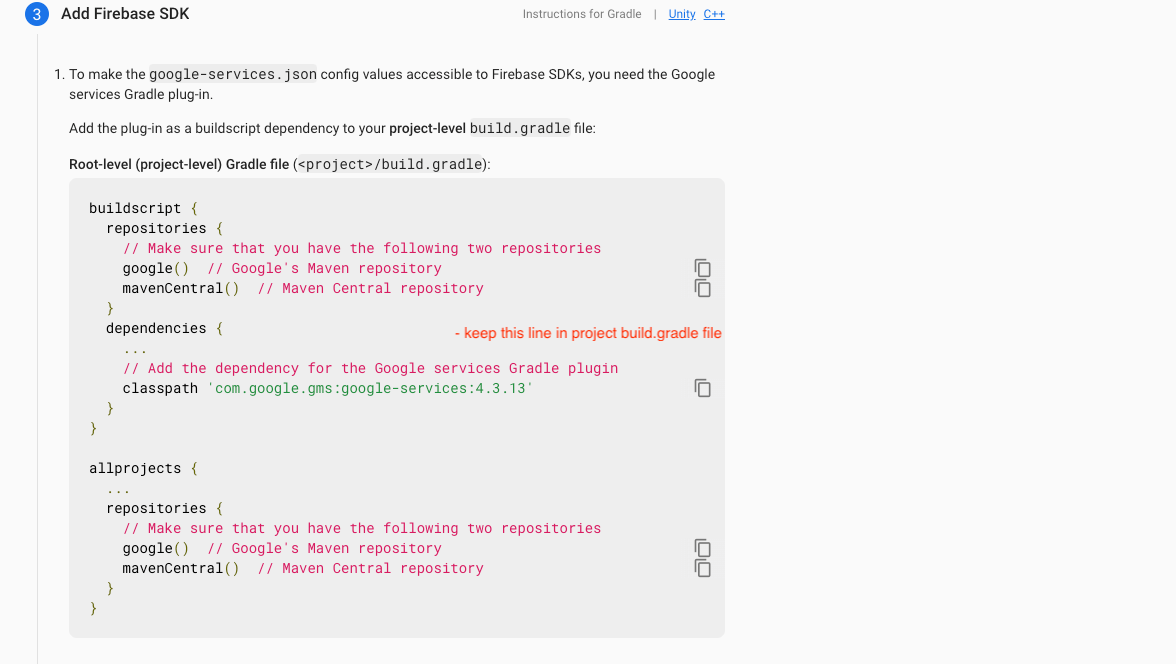
- Update in project -> build.gradile.
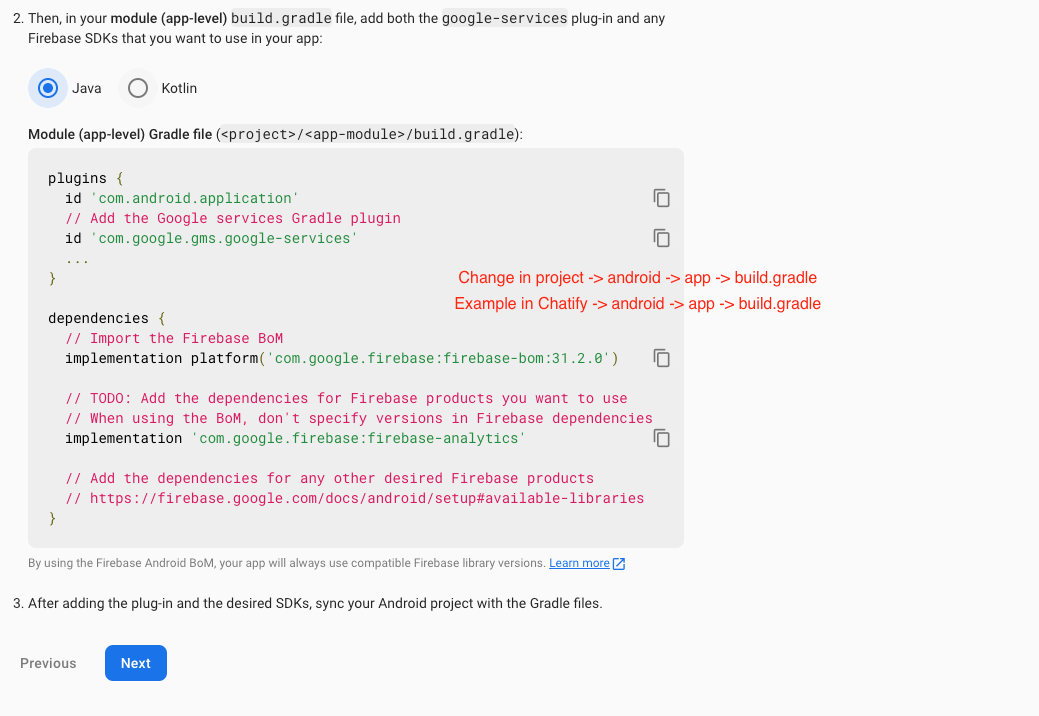
- Update in project ->android -> app -> build.gradile
IOS:
- Create an IOS or Android click on Add app.

- Write project package name and SHA-1 Key..

- Write bundlid and APPID

- Download the Googleservice-info.plist file

- Replace the file in "ios/Runner/info.plist"
- Update "FirebaseApp.Configure()" in AppDelegate File