
 Email-Password SignUp/SignIn :
If you haven’t Firebase Project Account ? Click here for create project see the steps show in Firebase Setup.
Follow below steps for SignUp and SignIn with Email and Password in your project:
- Go to Firebase https://firebase.google.com/.
- Now click on Get Started button
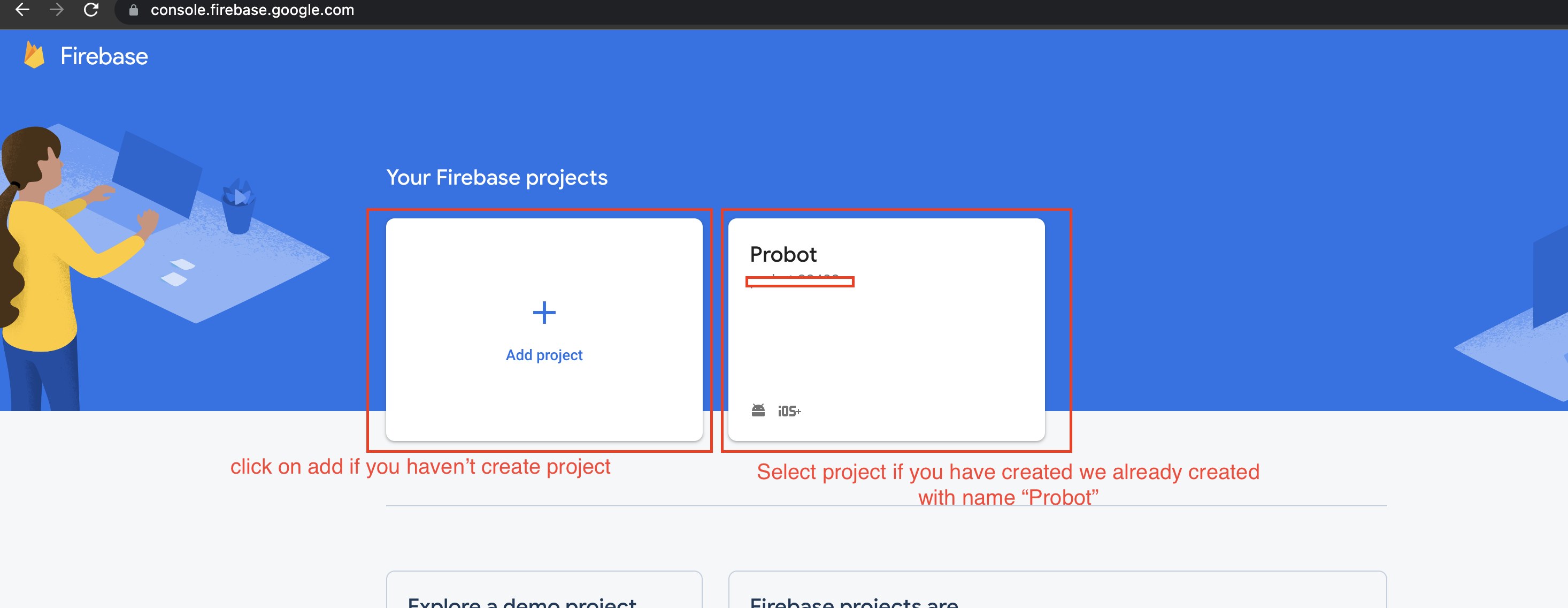
- Now select your project if created or create your project by click on + Add Project and
google-services.json
NOTE : How to create Project and set google-services.json setup show in above Firebase Setup -
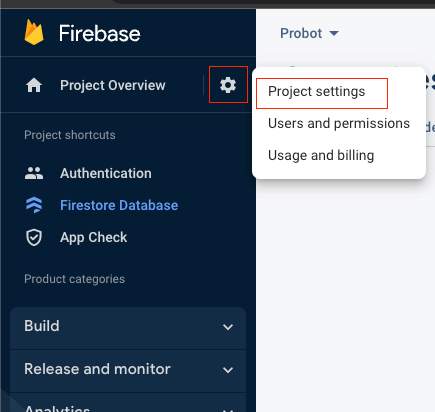
On left hand side panel click on setting icon. On click Setting
button pop open open.
In that click on Project Settings
- Scroll down click on your package and add SHA-1 and SHA26 Key for debug and release.
NOTE : How to generate SHA-1 and SHA26 steps are mention above. You can see in document left hand menu panel and click on Firebase SHA Key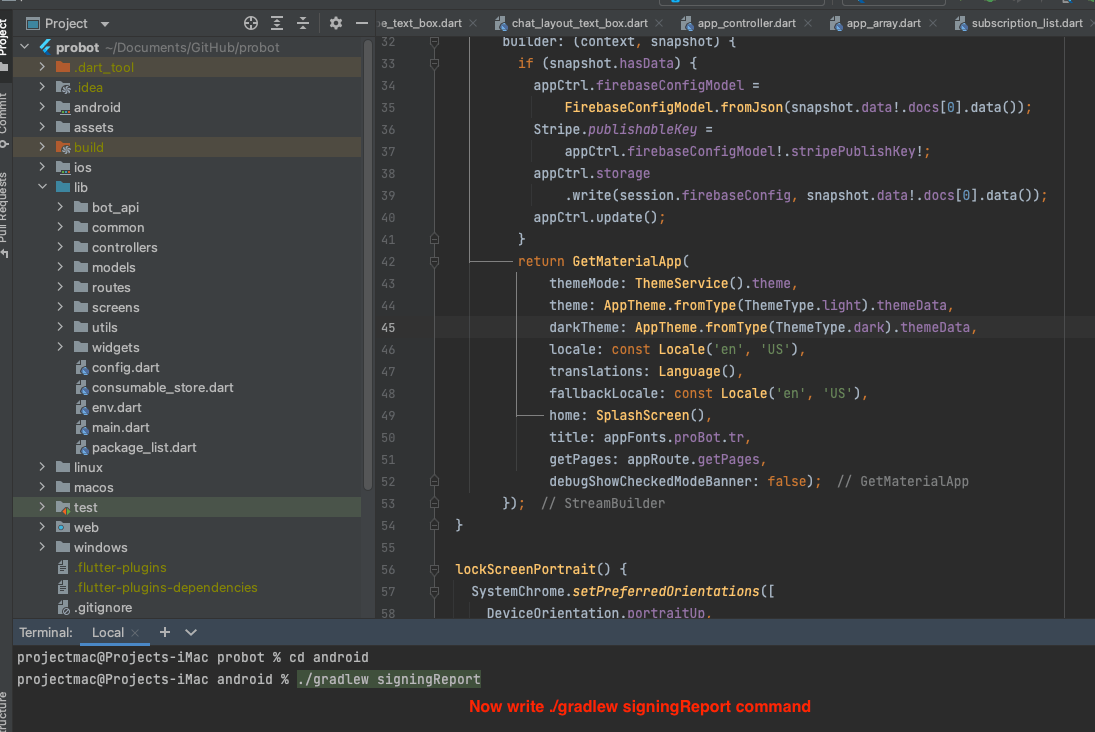
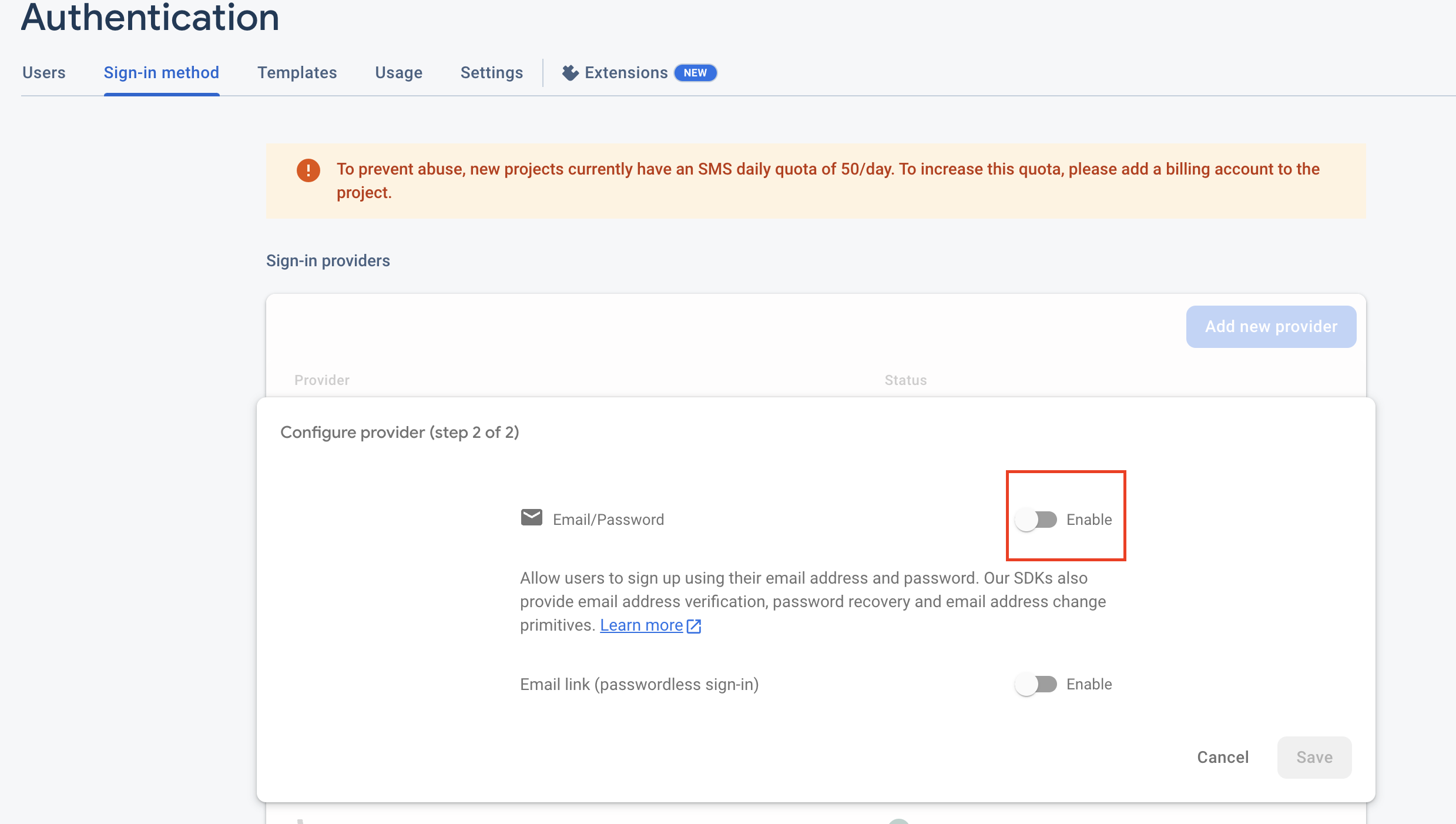
- Now click on Add New Provider button and click on Email/Password for add
new provider.

- Now Enable the toggle give support Email/Password and click on Save> button.

- Remeber to add all the dependencies in build.gradle which mention in above Firebase Setup
- Now delete your app from your device (from your phone) and the run app again and try to do Phone Login.