
 Firebase Collection:
As you have know there are multiple collection has been used in firebase. Let's see what is the use of the collection and how it added
NOTE :
If any error occur in app check in firebase if missing any below Required config is missing
if
not then check there field and datatype and key word same to same as given in document
There are 11 collections created in the firebase
- admin - Required
- categoryAccess - Required
- categorySuggestion - Required
- characters - Required
- chatHistory
- config - Required
- onBoardScreen - Required
- users
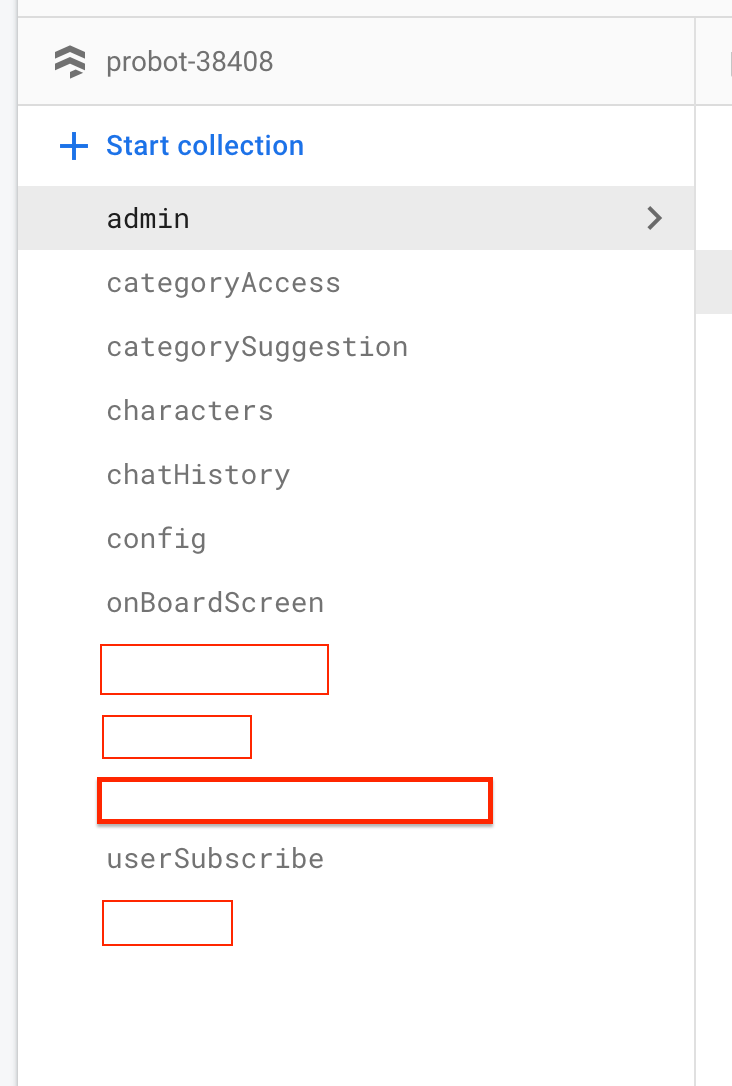
Let see detail about all the collections.
admin :
- For Admin access you need to add credentials for login in firebase we have create 2 login credentials. You can create as per you requirement.
- In Project (admin@gmail.com, Admin1234) credentials are for all the users with this credentials they can't access in live you can remove this condition from project which is admin project -> lib -> controllers -> app_pages_controllers -> login_controller.dart
- There are 2 field in admin config, copy and paste one by one in firebase and create collection
in your project
No. Fields -> datatype 1. userName -> string -> Your email for admin login 2. password -> string -> Your password for admin login - You admin config look like this :

- Further more detail you can see in Admin Panel Setup
categoryAccess:
- For Category access you need to add all categories enable bool value one by one in firebase.
- If you want to hide any category in app you can do that from admin panel but for that you need to add all key
- There are 12 field in categoryAccess config, copy and paste one by one in firebase and create collection in your project.
- How to Add manually key and value in firebase you can see in Category Show/ Hide
categorySuggestion:
- For Category Suggestion you need to add all and there suggestion through Admin Panel.
- You don't need to add manually but it is compulsory to add through admin
- How to Add data, update or edit in firebase you can see in Category Suggestion
characters:
- For Charcters you need to add all and there suggestion through Admin Panel.
- You don't need to add manually but it is compulsory to add through admin
- How to Add data, update or edit in firebase you can see in Characters
chatHistory:
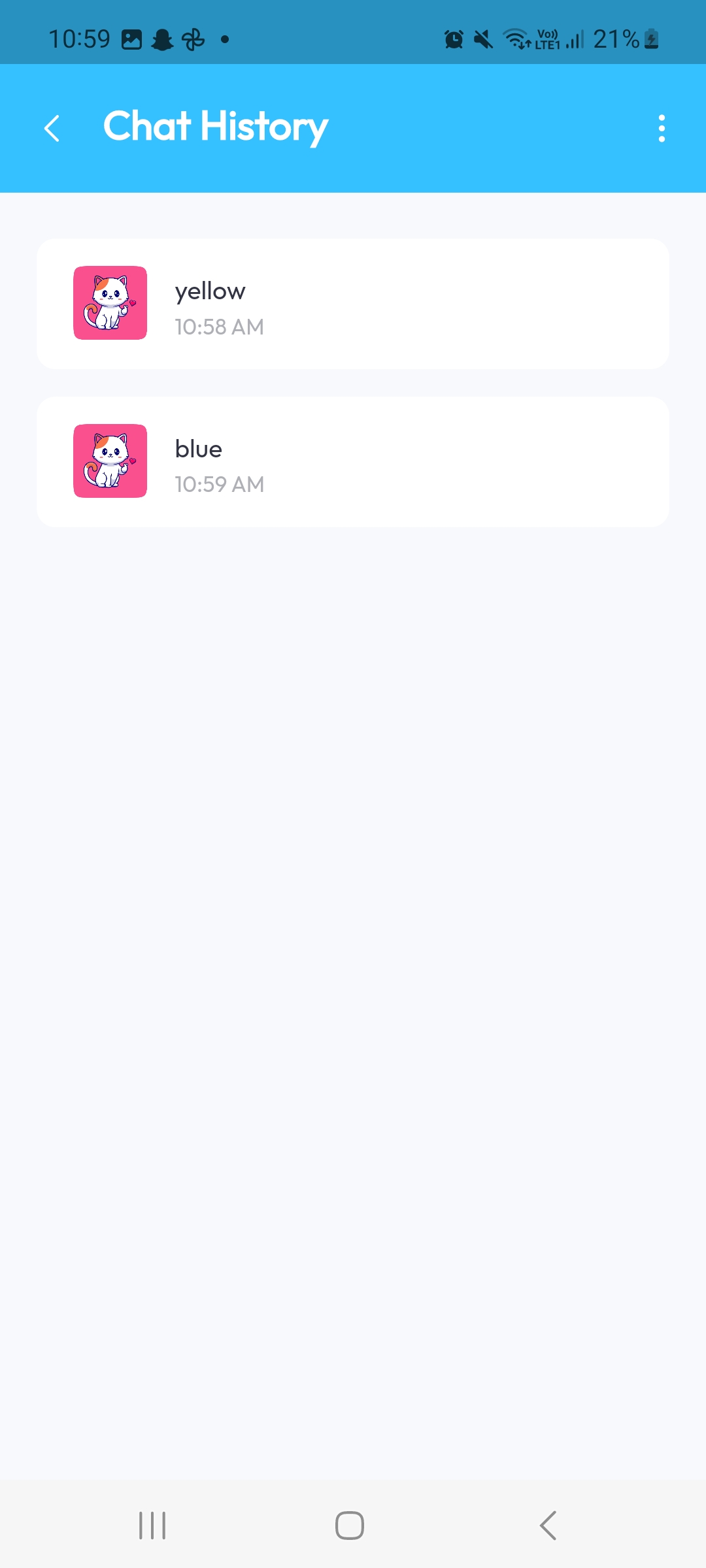
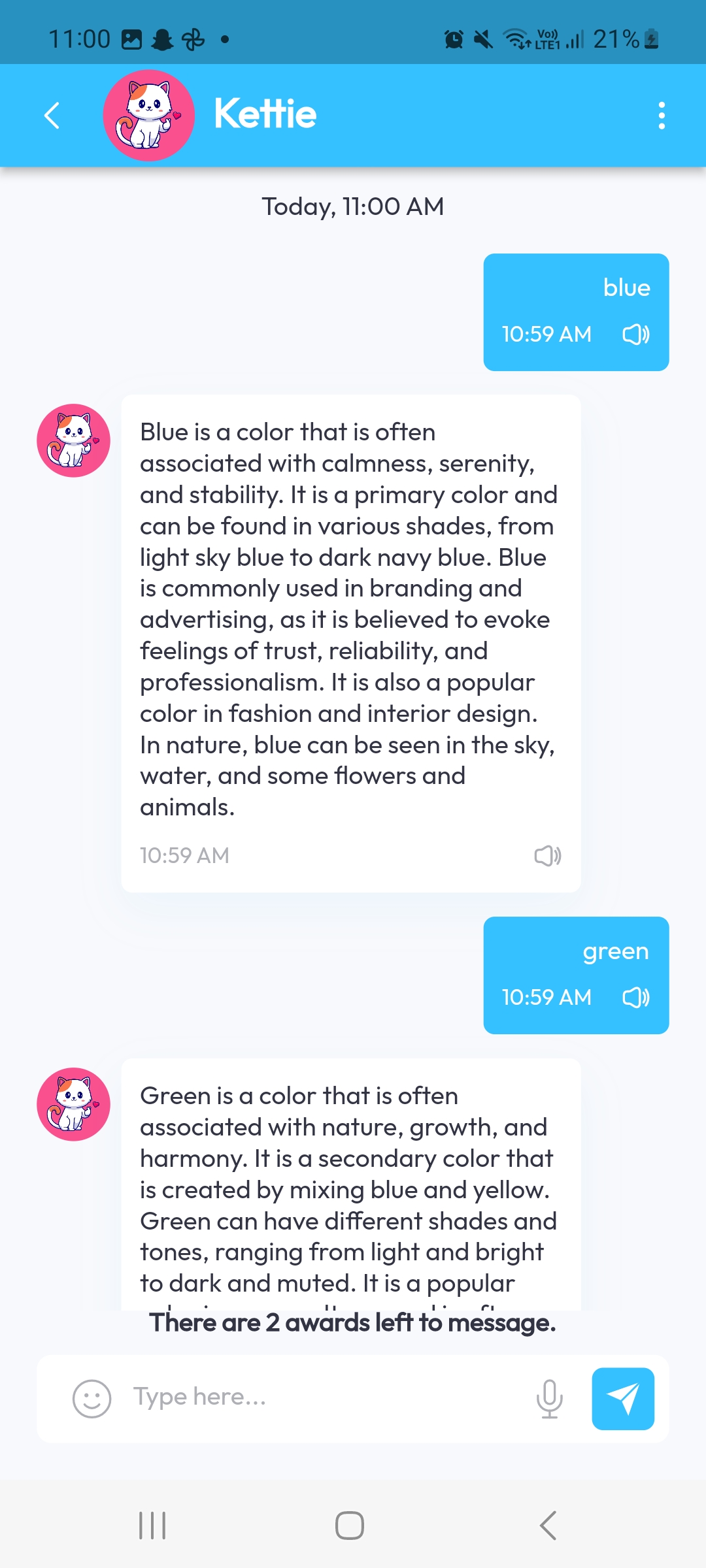
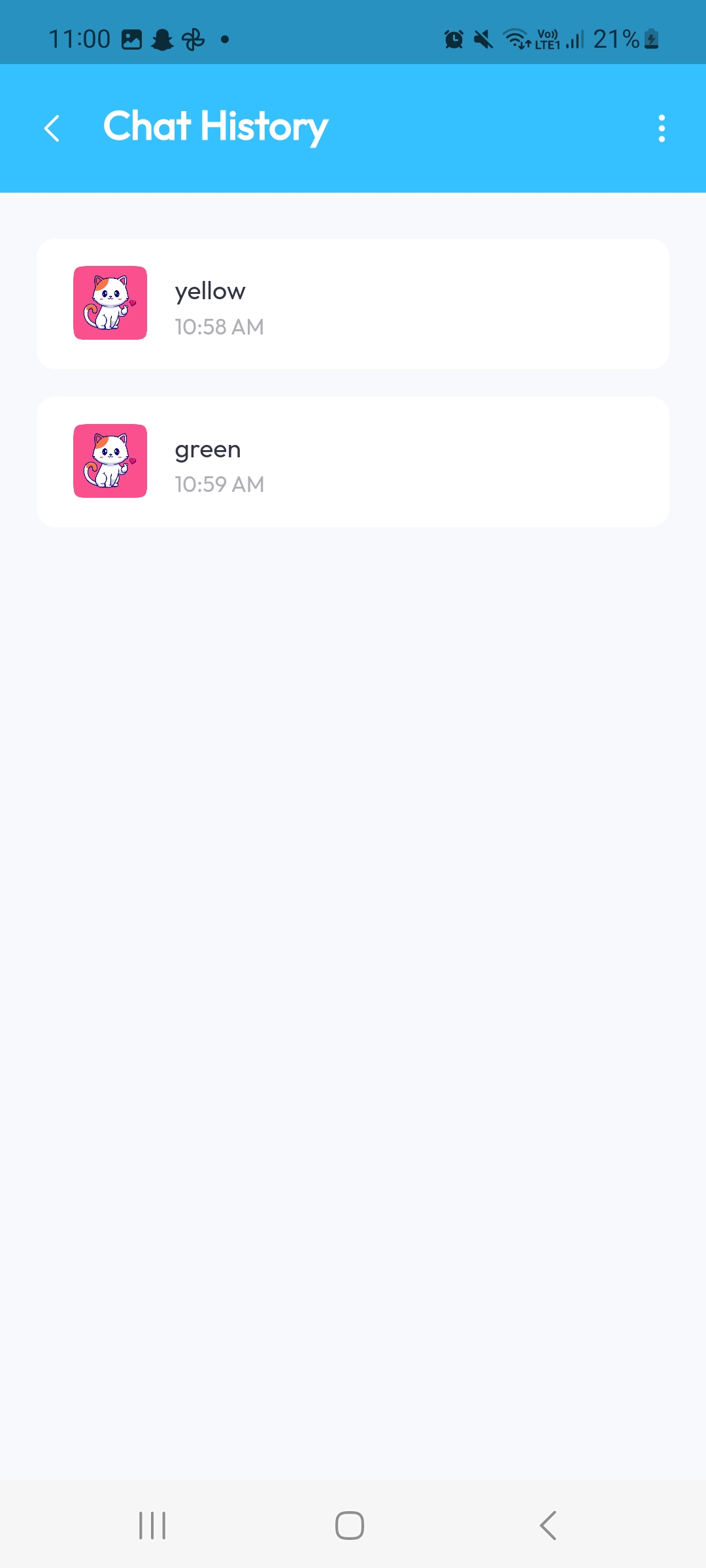
- Whatever you enter in textbox in chat layout screen it store in database. You can see chat history in drawer.
- According your search it store as one chatId
- If you go back and again came toh chat screen for search something it will same new chat with new chatId.
- Data are stored in 2 collection
- In chatHistory, in this collection all the chat are saved
- In users -> chats, here users wise last chat history saved just like what's app
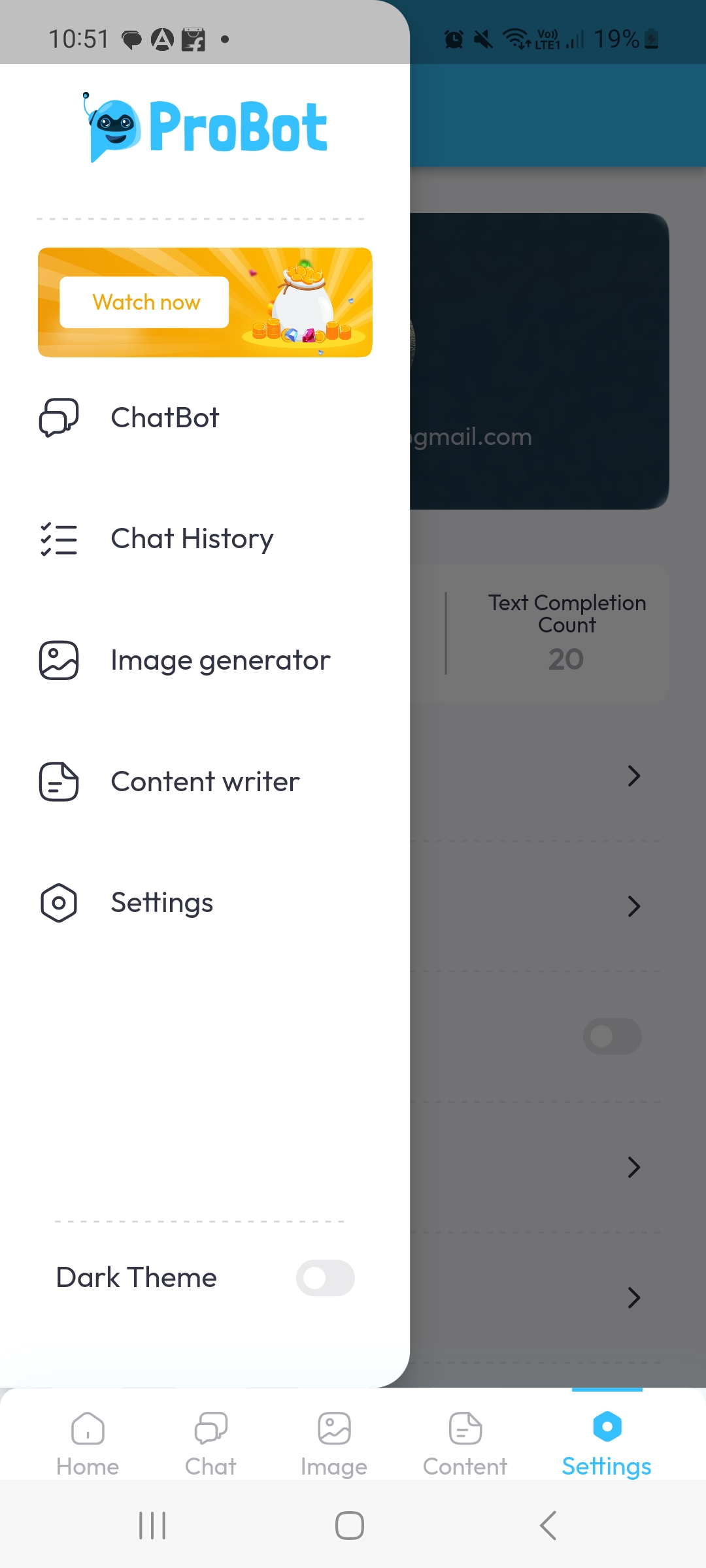
chat users screen. In chat history chat list came from users -> chats collection


- How to save in firebase you can go to probot project -> lib -> controllers -> bottom_controllers -> chat_layout_controller
- Now click on chat_layout_controller.dart file and press (Ctrl + f Or (mac Command + f))
- Search processChat, you can see the how the data are stored in firebase as per logged users.
- All this chat search you can see in chatHistory.
- Chat history only access by logged user. Those user who login as Guest can't access Chat history page. When ever guest user click on Chat History in Drawer it redirect to sign in screen for access.


config:
Create Env Config in Firestore Database :
- For Access all the key like ChatGPT Key, Razor Key, Stripe Key, Admob key, etc. or hide any of the data like hide Admob or any Payment Method you have to store in Firestore Database.
-
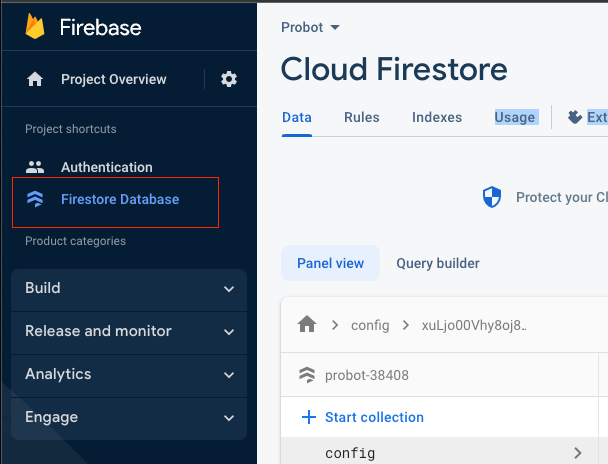
After create Firestore as per above process complete, Go to left handel panel and select
Firestore
Firebase.
-
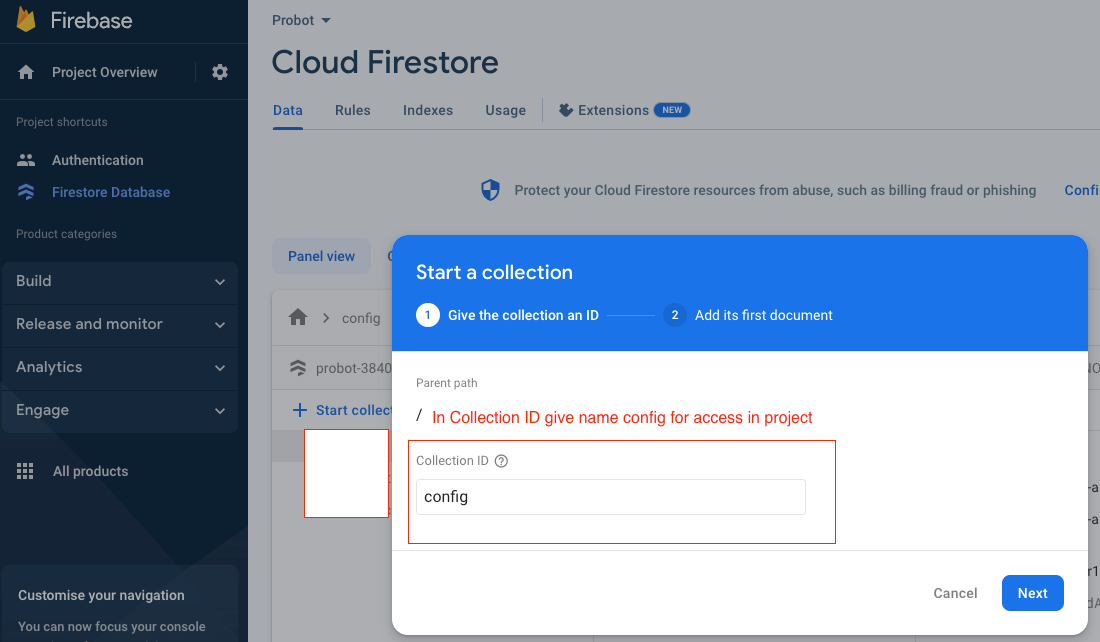
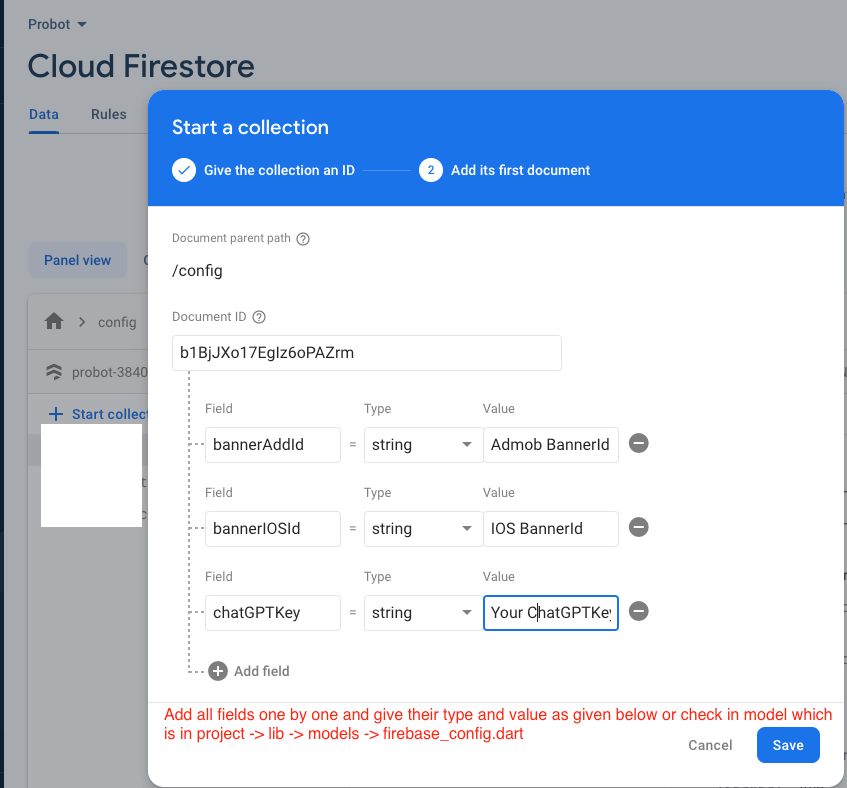
Now click Start Collection one pop-up open in that give collection id name :
config
-
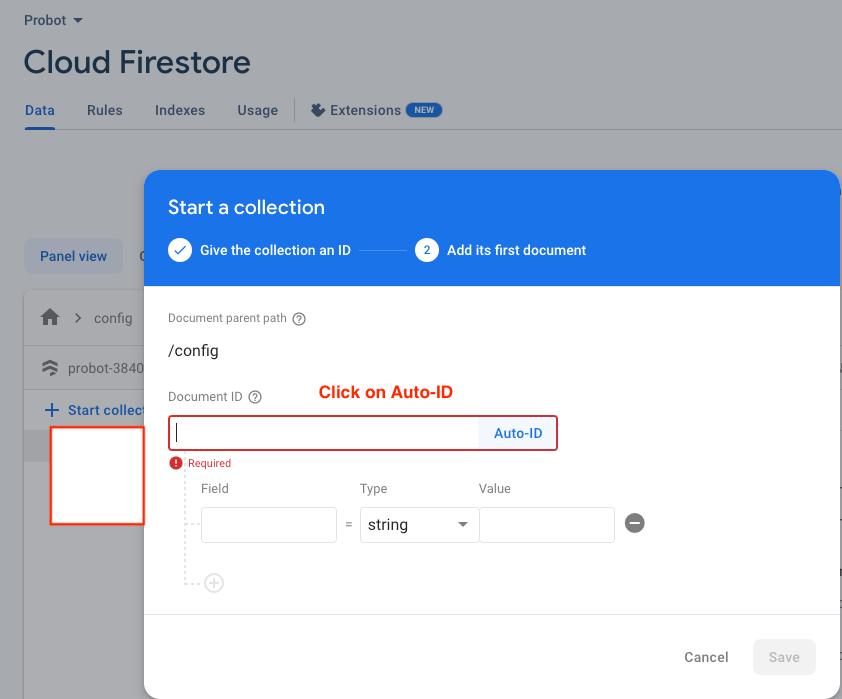
Another pop-up will appear in that click on Auto-ID
-
Now add all below fields as it is given below and give value as per your project
requirement, or go to your
project -> lib -> models -> firebase_config.dart, in that all the fields name
are there copy the name and add
in firebase if you want to remove any field remove from model as well as do not add in
firebase store in
config

-
No. Fields -> datatype 1. balance -> number -> ///Free New user Balance (compulosry) 2. bannerAddId -> string -> Your Admob Android bannerAddId 3. bannerIOSId -> string -> Your Admob IOS bannerAddId 4. chatGPTKey -> string -> Your Chat GPT Api Key 5. facebookAddAndroidId -> string -> ///Your Facebook Id 6. facebookInterstitialAd -> string -> ///Your Facebook InterstitialId 7. facebookRewardAd -> string -> ///Your Facebook Rewared Id 8. interstitialAdIdAndroid -> string -> Your Admob InterstitialAndroidId 9. interstitialAdIdIOS -> string -> Your Admob InterstitialAdIdIOS 10. isAddShow -> bool -> true/false /// If you dont want to show Add just give false 11. isCameraEnable -> bool -> true/false /// If you want to show search from camera default just give true or else false in value 12. isChatHistory -> bool -> true/false /// If you dont want to show ChatHistory just give false 13. isChatShow -> bool -> /// If you want to hide the chat just give false or else true value in value 14. isGoogleAdmobEnable -> bool -> true/false /// If you dont want to show Google and show Facebook Ad just give false, if want to show Google Ad give true 15. isGuestLoginEnable -> bool -> true/false /// If you dont want to show Guest Login text in signin page just give false 16. isImageGeneratorShow -> bool -> true/false /// If you want to hide the image generate just give false or else true value in value 17. isRTL -> bool -> true/false /// If you dont want to show RTL in app 18. isTextCompletionShow -> bool -> true/false /// If you want to show Text Completion page default just give true or else false in value 19. isTheme -> bool -> true/false /// If you show Dark mode default 20. isVoiceEnable -> bool -> true/false /// If you want to show Voice Search page default just give true or else false in value 21. privacyPolicyLink -> string -> Your Privacy Policy Link /// If Privacy Policy is not there or don't want to keep then do not add in firebase and remove from model 22. rateAppAndroidId -> string -> Your Android Package Name (example : com.webiots.probotgpt) /// If Rate App is not there or don't want to keep then do not add
in firebase and remove from model 23. rateAppIOSId -> string -> Your IOS App Bundle Id (example : 742044692) /// If Rate App is not there in IOS or don't want to keep then do not add in firebase and
remove from model 24. refundLink -> string -> Your Refund Policy Link /// If Refund Policy is not there or don't want to keep then do not add in firebase and remove from model 25. rewardAndroidId -> string -> Your Admob RewardAndroidId 26. rewardIOSId -> string -> Your Admob RewardIOSId 27. rewardPoint -> number -> ///After watch how many reward point need to give 28. facebookAddIOSId -> string -> ///Your Facebook IOS Id 29. facebookInterstitialIOSAd -> string -> ///Your Facebook IOS InterstitialId 30. facebookRewardIOSAd -> string -> ///Your Facebook IOS Rewared Id -
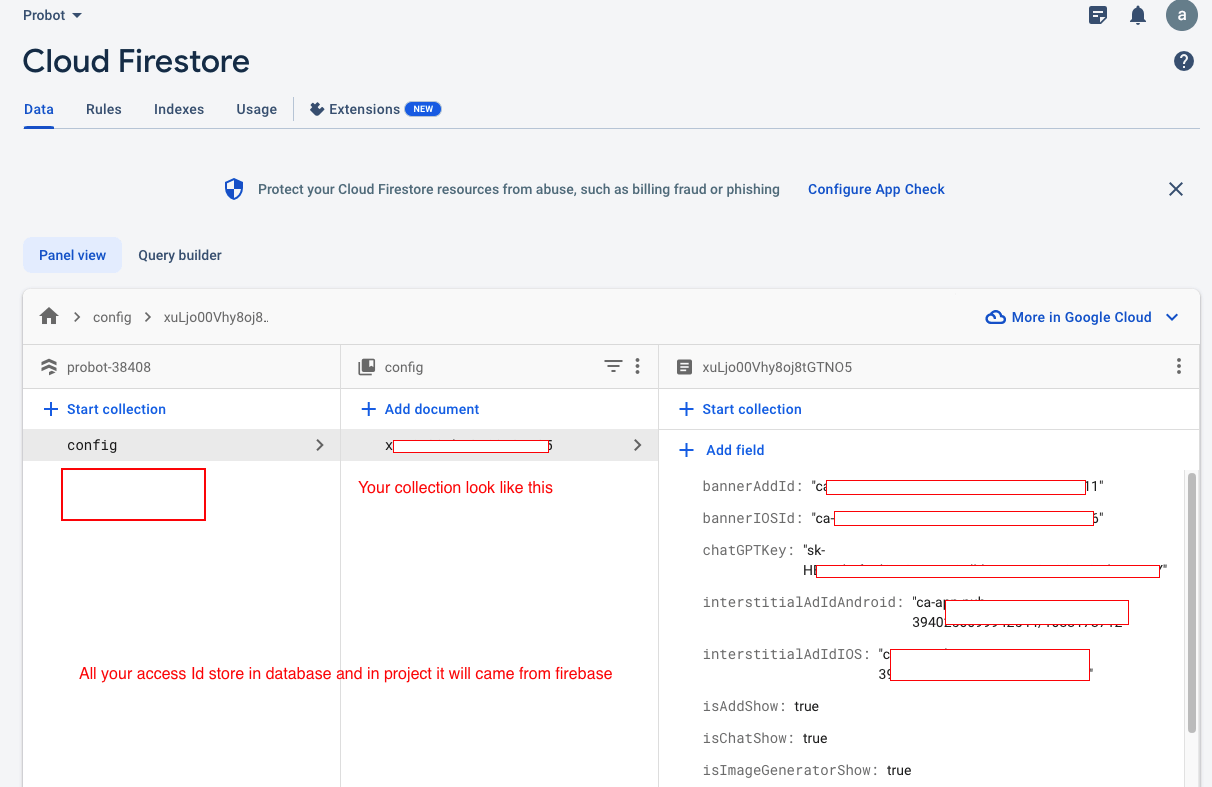
Your Collection look like this
-
After add data in firebase call api firebase which using Stream from that data are store
in value as well in
storage. Where the data came from firebase automatic will apply that value.

-
Ex. Your Chat GPT API Key :

onBoardScreen:
- For Onboard access you need to add all onboard data in firebase.
- Onboard data are dynamic in app soo you need to add from admin panel
- How to Add manually key and value in firebase you can see in OnBoard Screen
users:
Whenever any user register and login or do Sign In with Google, Sign In with Phone Or Apple Login
all the data are stored is users collection
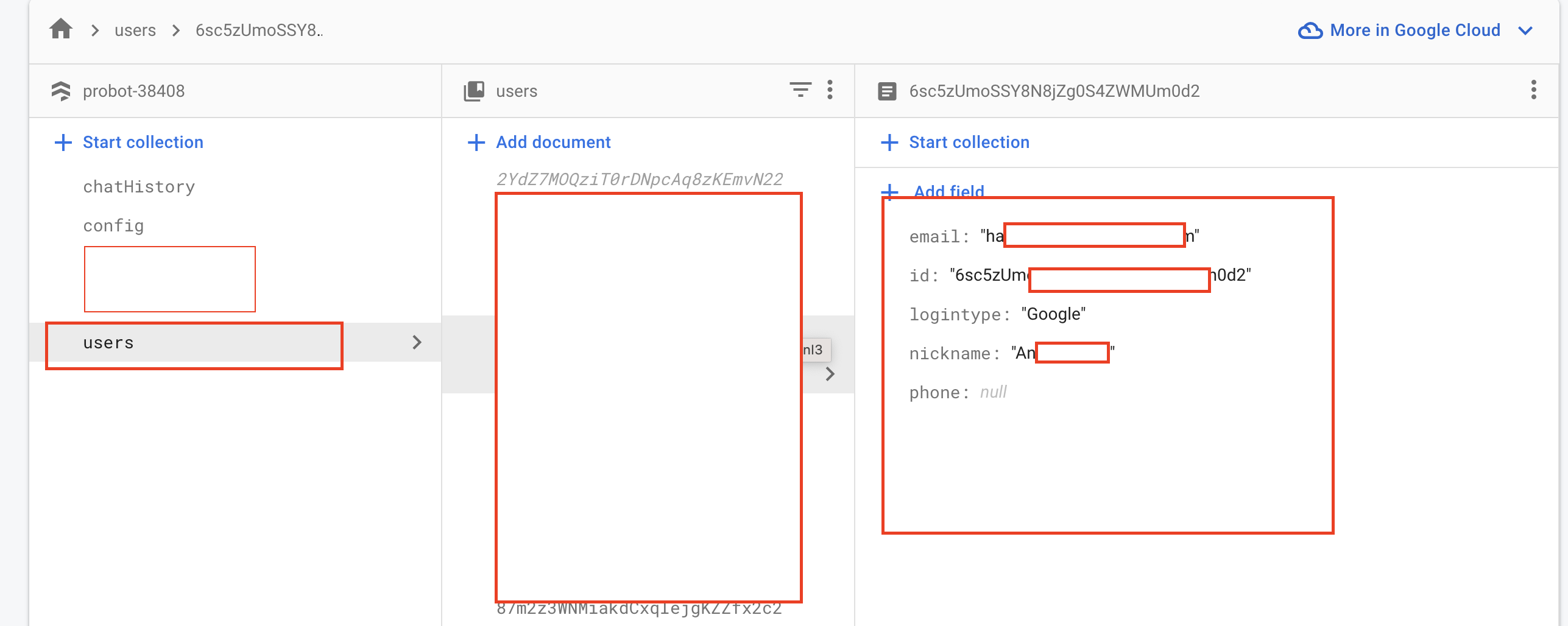
- If you want to check how save users data are save the go to probot project -> lib -> controllers -> auth_controller -> sign_in_controllers
- Click on sign_in_controllers.dart file in all the login function signInWithGoogle,signInMethod, signInWithApple after data came stored in firebase if data is not there.
- Same for mobile login go to probot project -> lib -> controllers -> auth_controller -> mobile_login_controllers.dart, In that also data save in firebase function has been called