 Home Page
To personalize this theme to your liking, we've added a customization bar. You can use it to adjust colors, page layout, and sidebar setup. There's also a handy "configure" button that lets you save your settings as the default layout by copying them to a layout.json file.
You'll always find the Home Page on the right side of every page.
There are multiple customizations, we will talk about all individually.
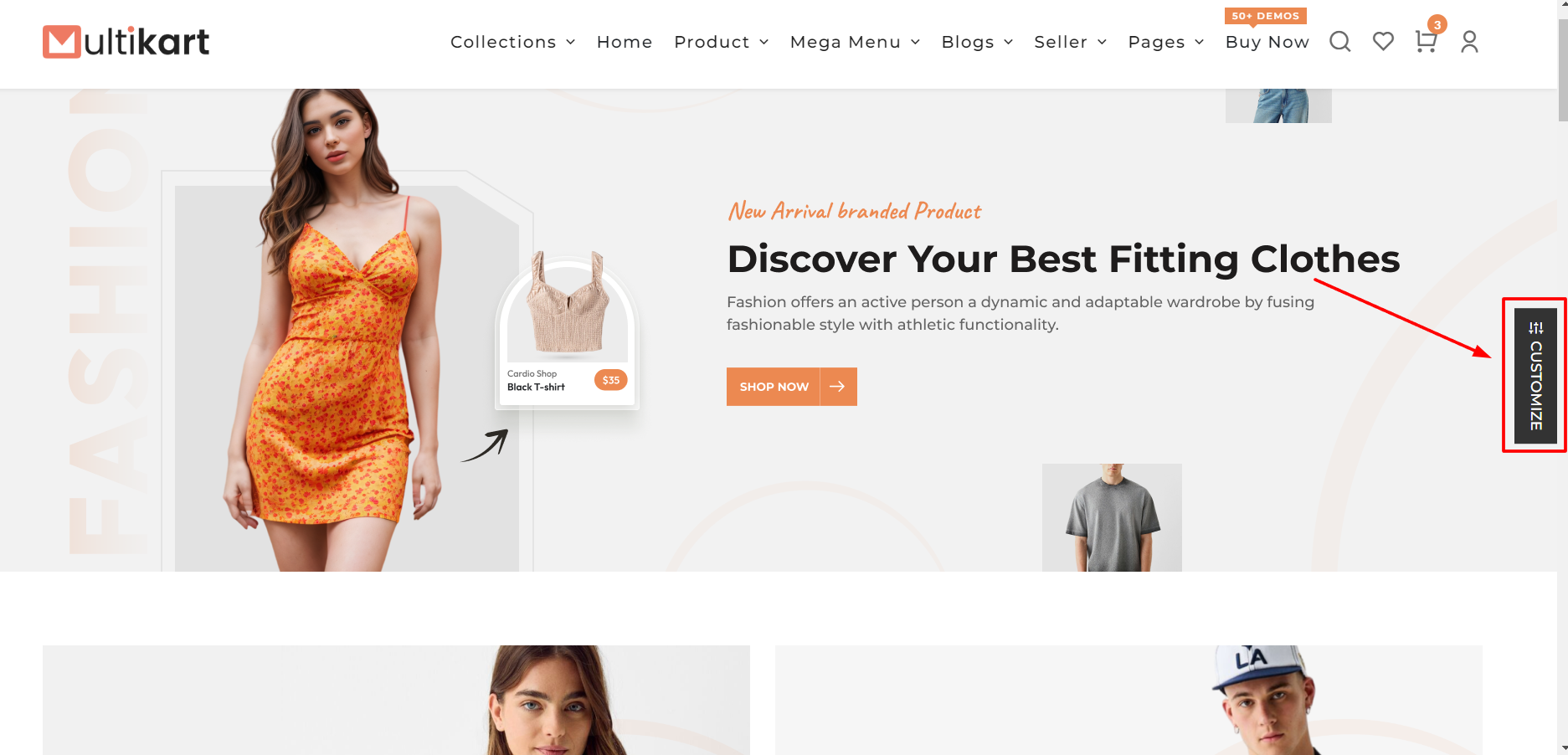
Layout Types:
There are 2 layout types in our theme: LTR and RTL layout.
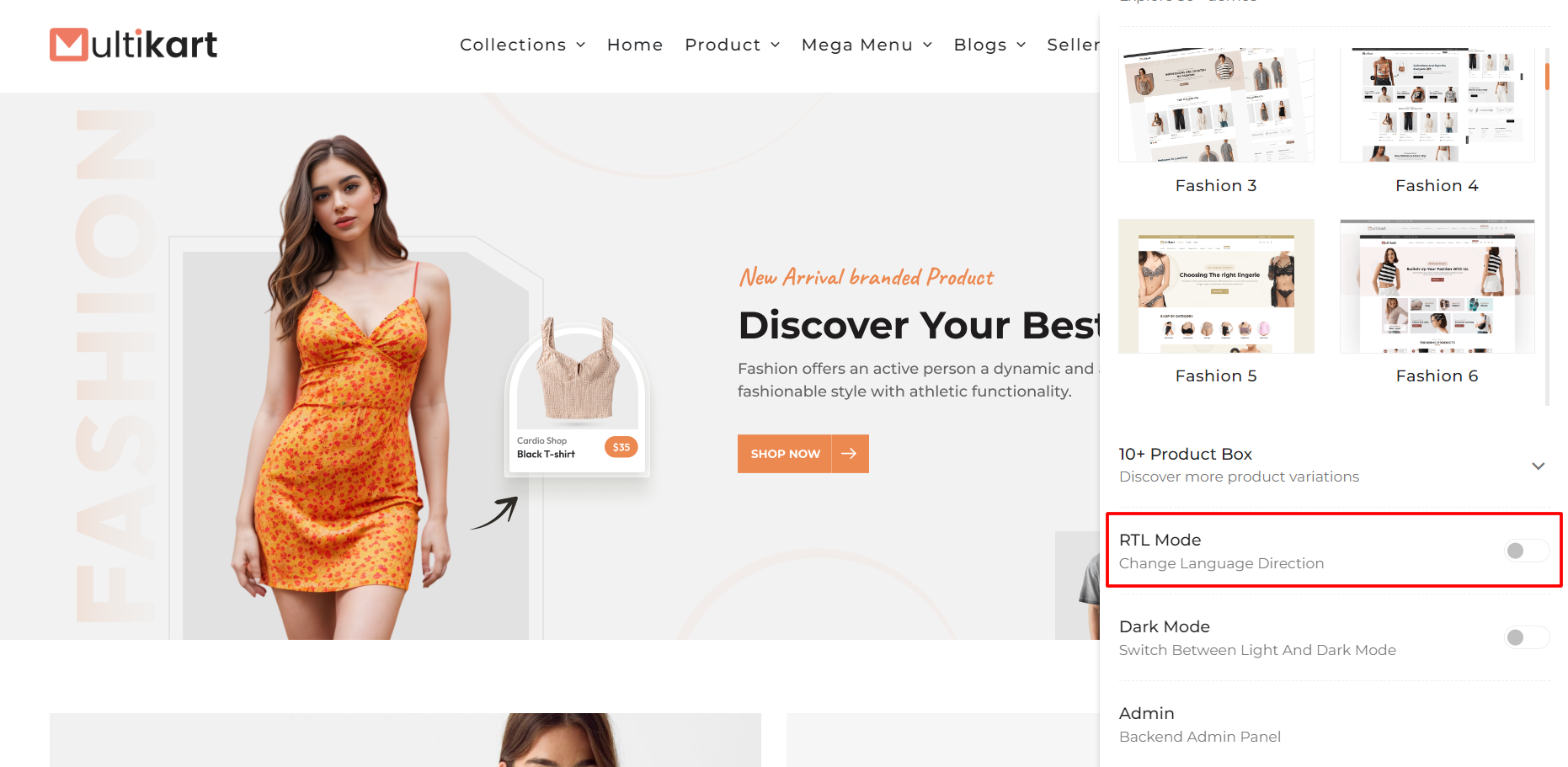
Info: Some languages are written from right to left (RTL), unlike the usual left-to-right (LTR) writing. To accommodate this, we provide an option to switch to RTL mode in our website, making it suitable for different languages.
LTR:
It will show content from left to right.

RTL:
For users of languages like Arabic, Urdu, and Persian, we offer a right-to-left (RTL) writing option.
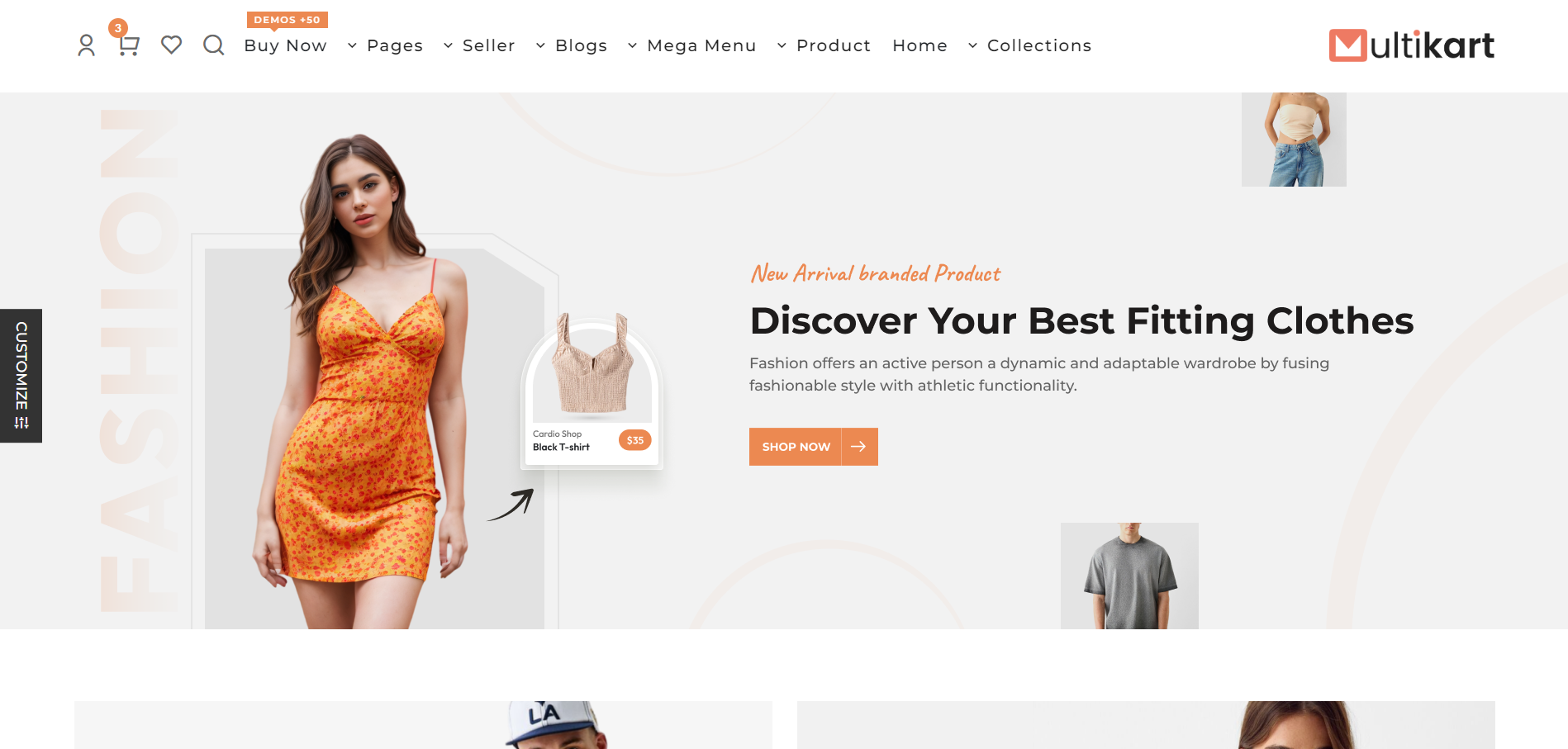
- dir='ltr' for the LTR layout.
- dir='rtl' for the RTL layout.
Note: Make sure to import the necessary scss files or else the styles won't apply.
Set Default Layout Setting
Step 1: Locate the JSON file at the path "src/app/api/themeOptions/themeOptions.json."
Step 2: Open the JSON file using a text editor or a code editor.
Step 3: Find the "language_direction" field within the JSON file. It should look something like this:
{
    "language_direction": "ltr",
    // Other JSON fields
}
Step 4: Change the value of "language_direction" from "ltr" to "rtl," like this:
{
    "language_direction": "rtl",
    // Other JSON fields
}
Step 5: Save the changes to the JSON file.
How to remove customizer?
Step 1. Remove selector <ThemeCustomizer/> Locate the component src > Layout > SubLayout.jsx
Step 2. Remove home-page component