 Theme Options
You may be able to find the JSON file at the path "src/app/api/themeOptions/themeOptions.json" to make the changes.
General
Change Site Title
Then, make changes in the option > general > site_title
{
  "site_title": "Multikart Marketplace: Where Vendors Shine Together",
  // Other JSON fields
}
Change Site Tagline
Then, make changes in the option > general > site_tagline
{
  "site_tagline": "Shop Unique, Sell Exceptional – Multikart Multi-Vendor Universe.",
  // Other JSON fields
}
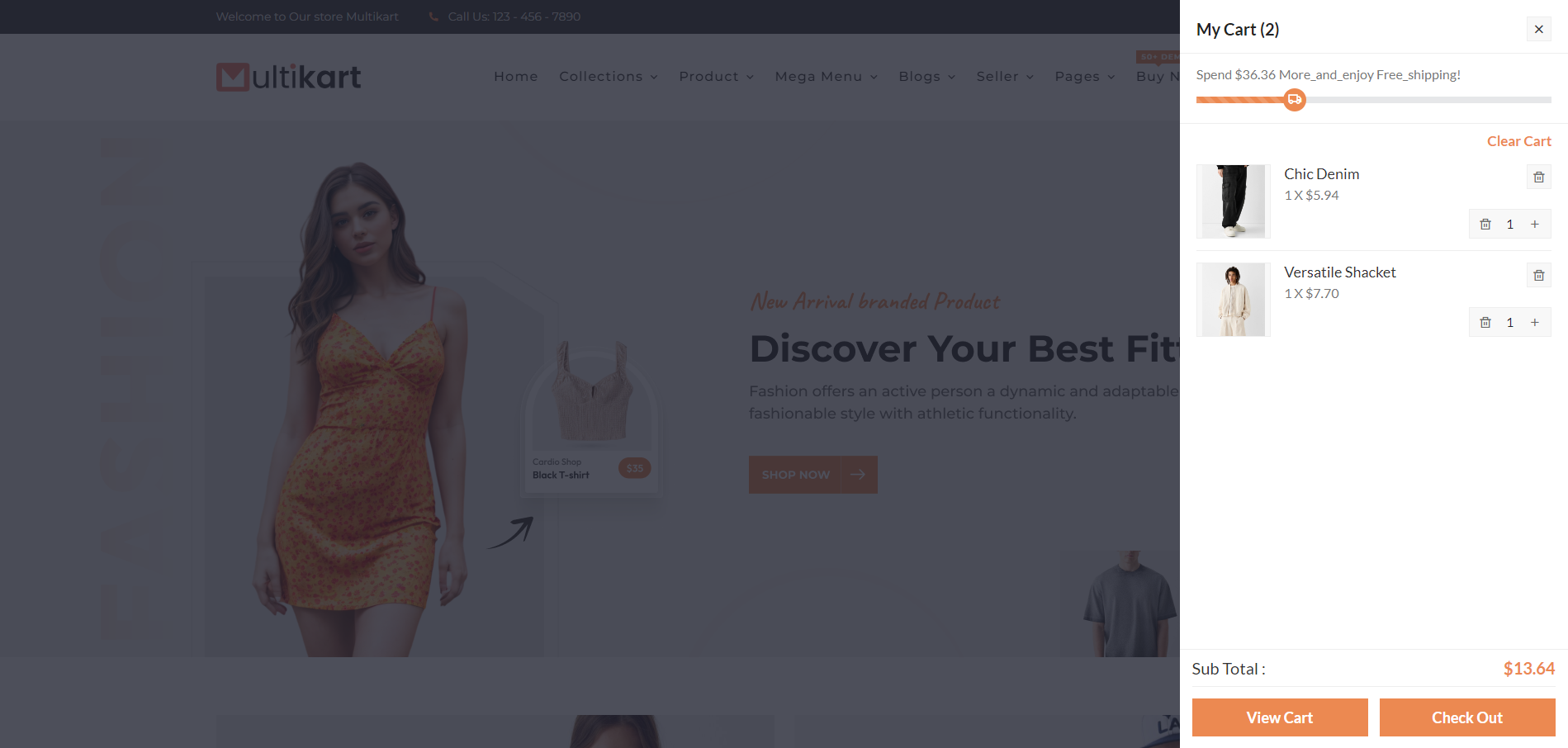
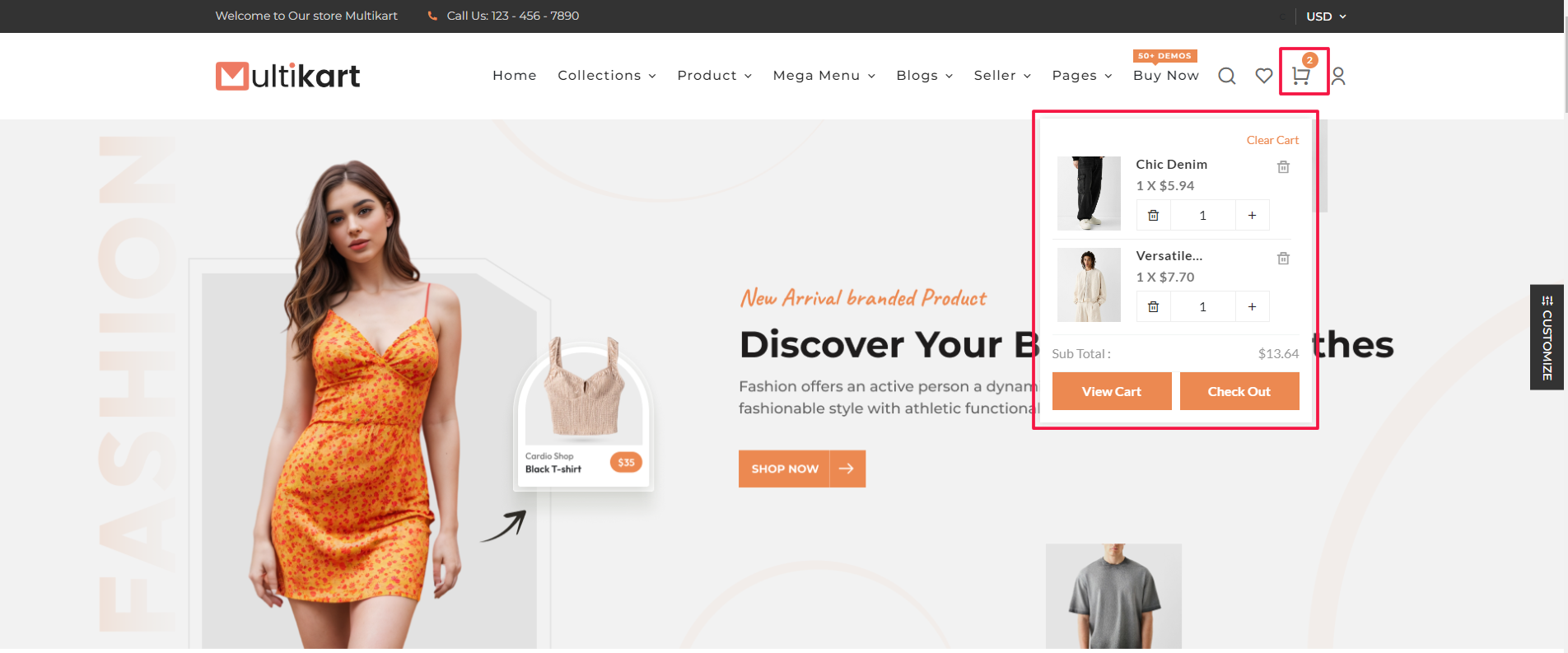
Cart Style
Then, make changes in the option > general > cart_style
2 option "cart_sidebar" and "mini_cart"
{
  "cart_style": "cart_sidebar",
  // Other JSON fields
}
Cart Sidebar
Cart Mini
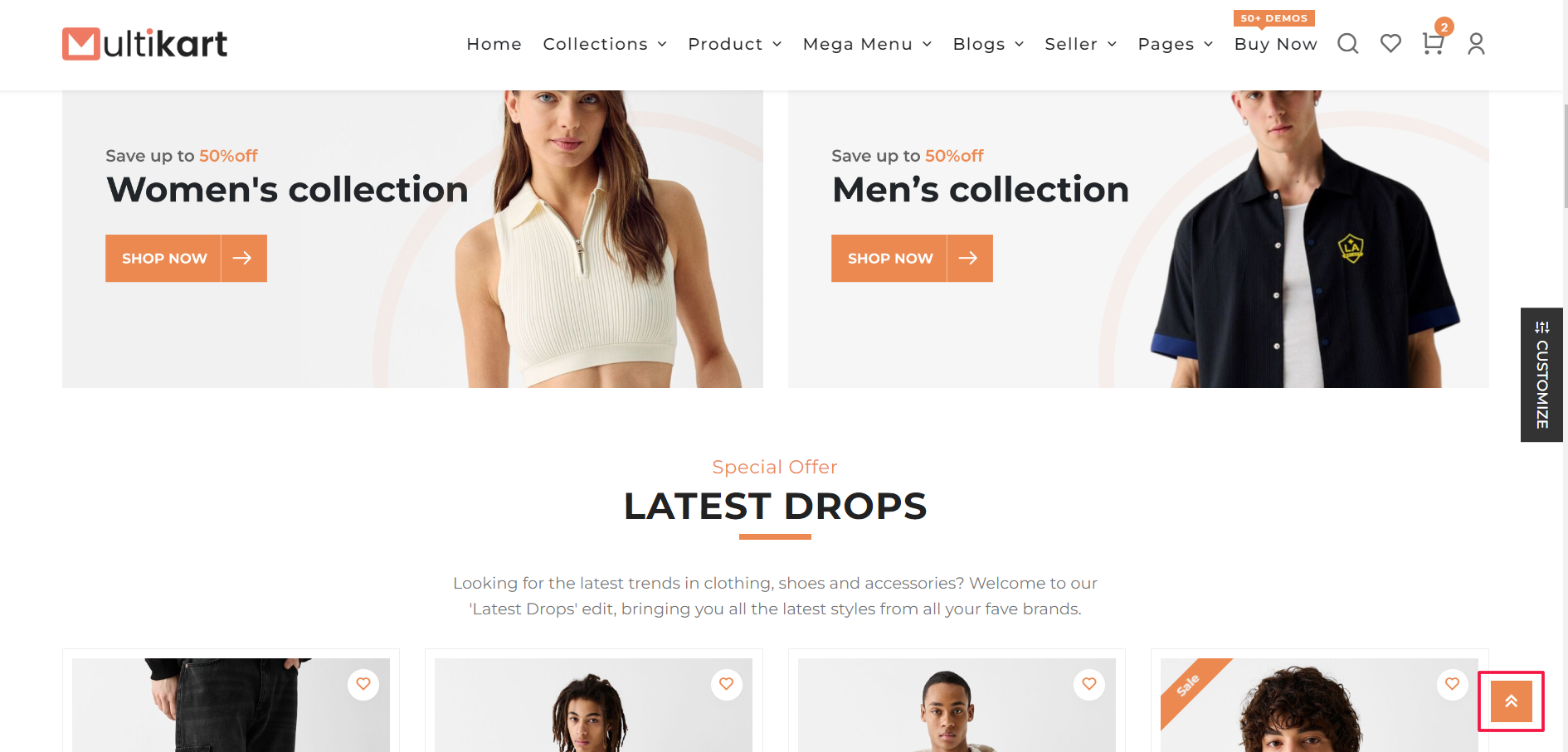
Back To Top
Then, make changes in the option > general > back_to_top_enable
{
  "back_to_top_enable": true,
  // Other JSON fields
}
Set Default Primary Color
Then, make changes in the option > general > primary_color
{
  "primary_color": "#ec8951",
  // Other JSON fields
}
Set Header Logo, Footer Logo And Favicon Icon
Then, make changes in the option > logo > header_logo
It would be similar for Header Logo, Footer Logo And Favicon Icon
"header_logo": {
  "id": 3939,
  "name": "logo (1)",
  "file_name": "logo-(1).png",
  "mime_type": "image/png",
  "disk": "public",
  "created_by_id": "1",
  "created_at": "2024-06-25T10:19:57.000000Z",
  "asset_url": "/storage/3939/logo-(1).png",
  "original_url": "assets/images/settings/logo-dark.png"
},
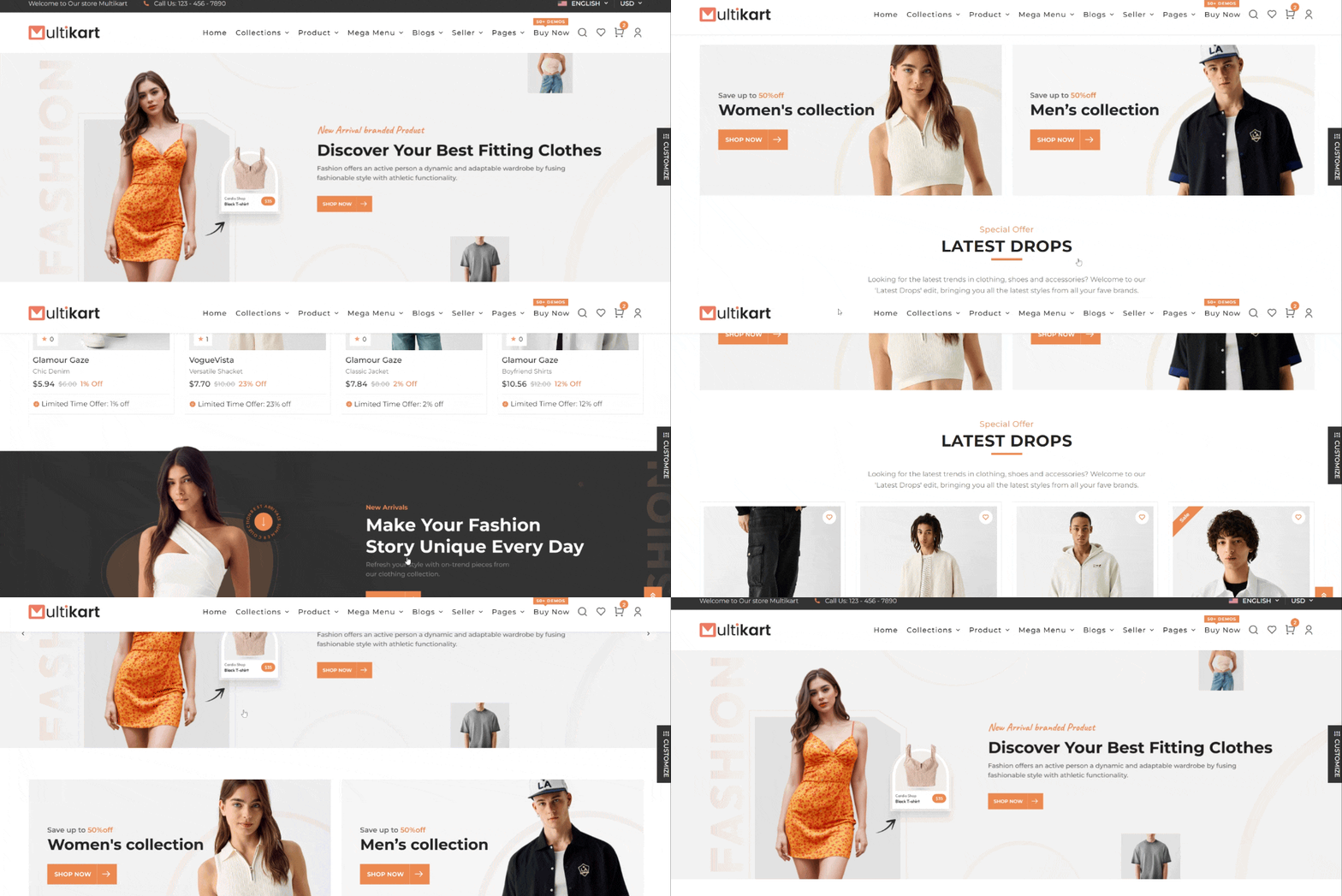
Sticky header
Then, make changes in the option > header > sticky_header_enable
{
  "sticky_header_enable": true,
  // Other JSON fields
}
Header
Header options
Then, make changes in the option > header > header_options
You can choose any of the 8 Styles:
- "header_one"
- "header_two"
- "header_three"
- "header_four"
- "header_five"
- "header_six"
- "header_seven"
- "header_eight"
{
  "header_options": "header_one",
  // Other JSON fields
}
Header One

Header Two

Header Three

Header Four

Header Five

Header Six

Header Seven

Header Eight

Page Top Bar Configuration
Then, make changes in the option > header > page_top_bar_enable

Top Bar Content
Then, make changes in the option > header > top_bar_content
You can change the text in the Content Key.
"top_bar_content": [
  {
      "content": "<i class=\"ri-truck-line\"></i>Free Shipping on Orders $100+"
  },
  {
      "content": "<i class=\"ri-megaphone-line\"></i>Buy One Get Two Free"
  },
  {
      "content": "<i class=\"ri-gift-line\"></i>Gift Card for all the season"
  }
],
Change Support Number
Then, make changes in the option > header > support_number
{
  "support_number": "123 - 456 - 7890",
  // Other JSON fields
}
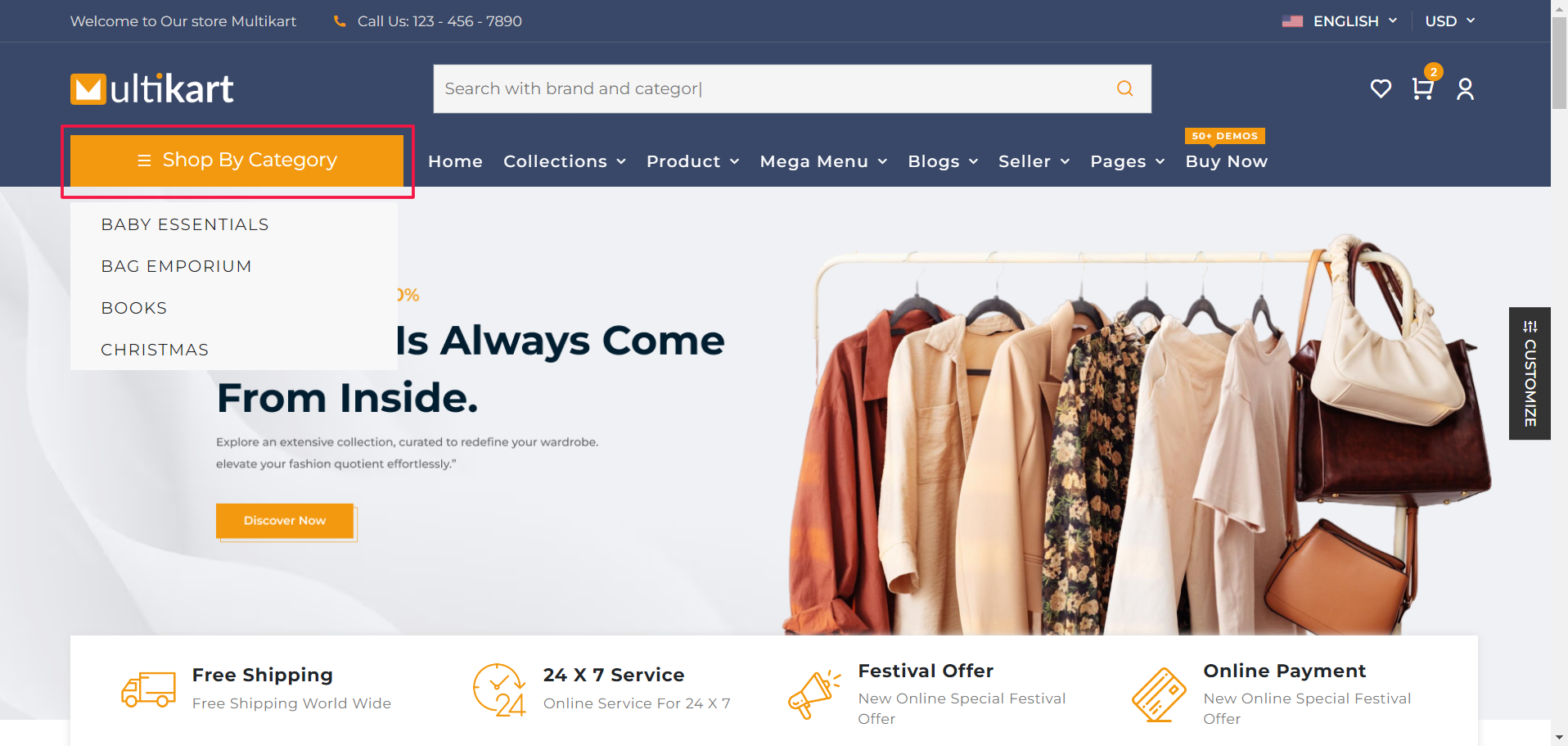
Select Categories
Then, make changes in the option > header > category_ids
{
  "category_ids": [1, 2, 3, 4, 5, 6, 7, 8],
  // Other JSON fields
}
Warning: Make sure category_ids: [1, 2, 3, 4, 5, 6, 7, 8] ids are present in the
category.json
Footer
Set Default Footer Style
Then, make changes in the option > footer > footer_style
You can choose any of the 8 Styles:
- footer_one
- footer_two
- footer_three
- footer_four
{
  "footer_style": "footer_three",
  // Other JSON fields
}
Footer light
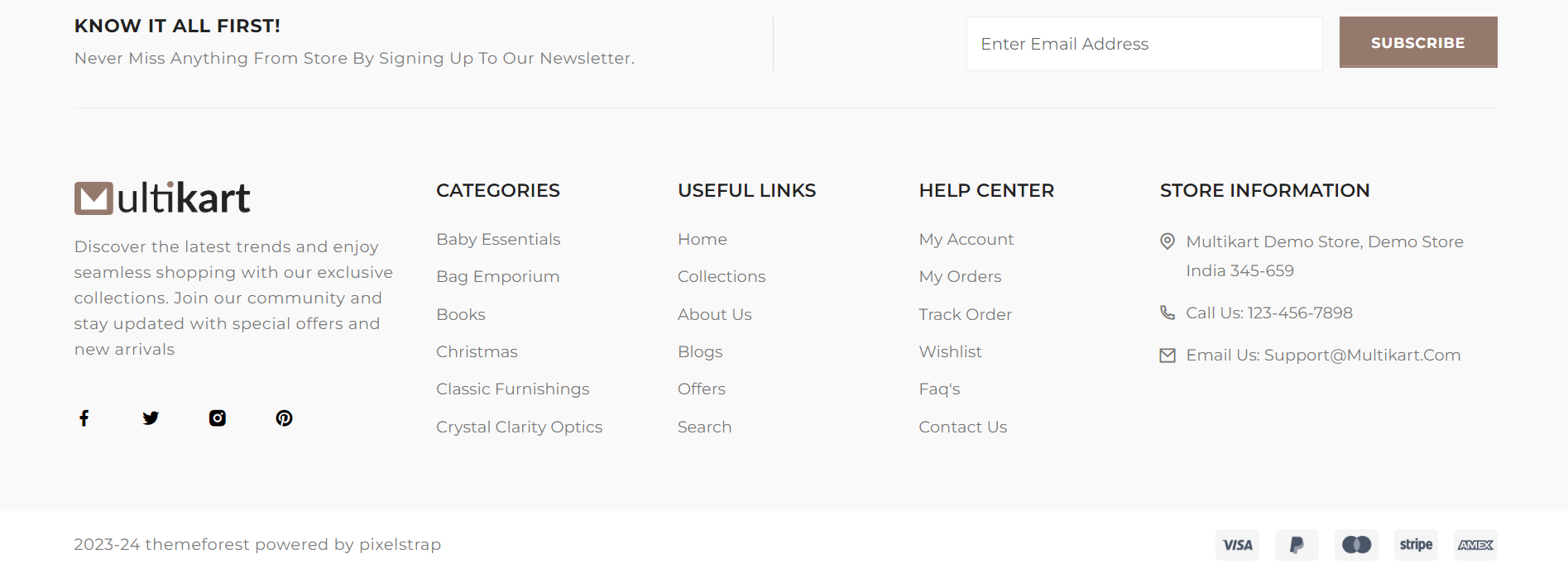
Footer Dark
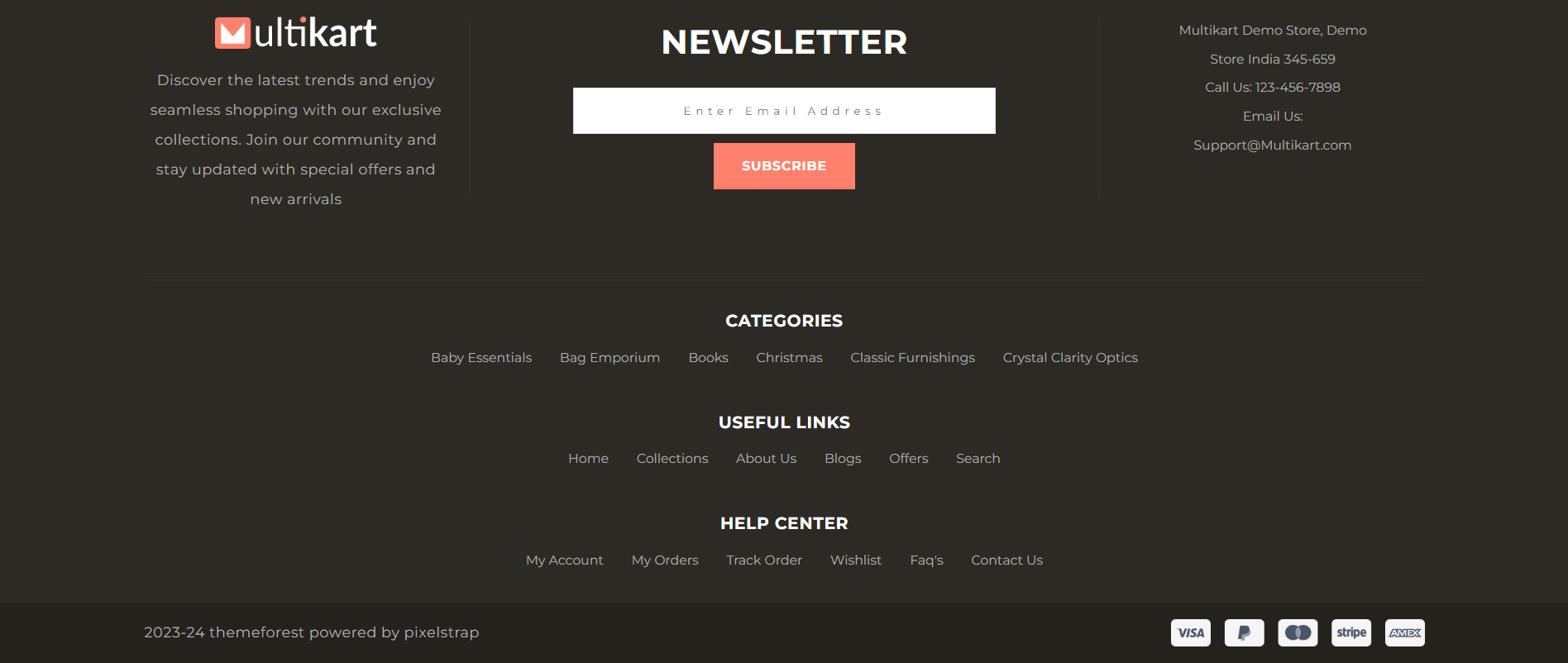
Footer Color
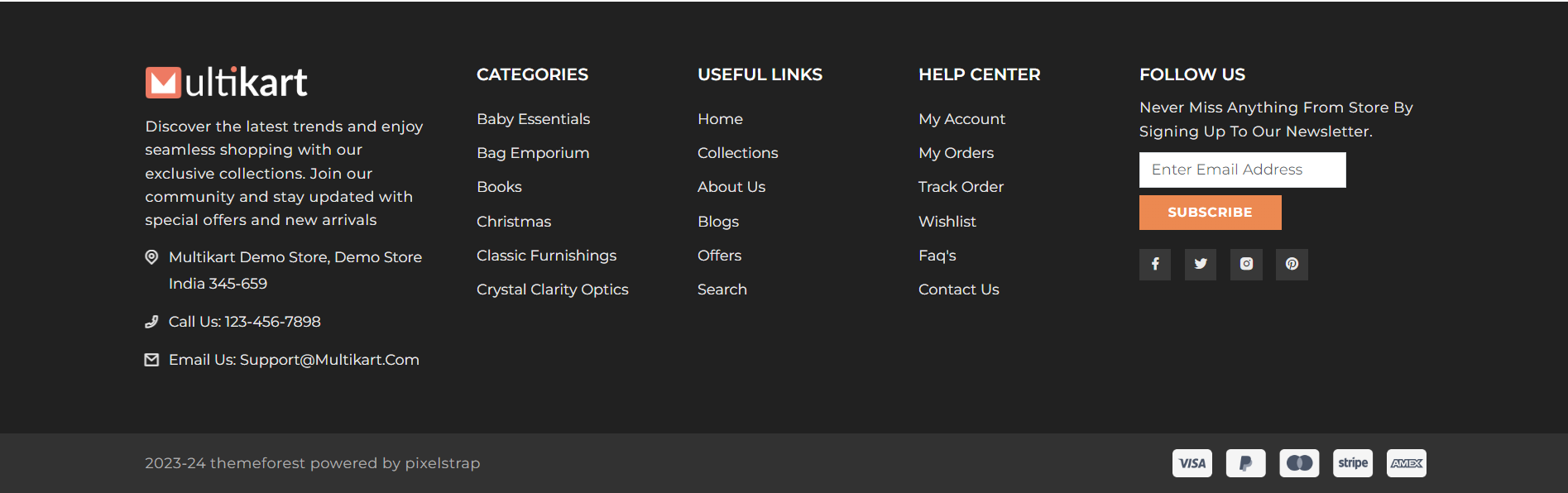
Footer Image
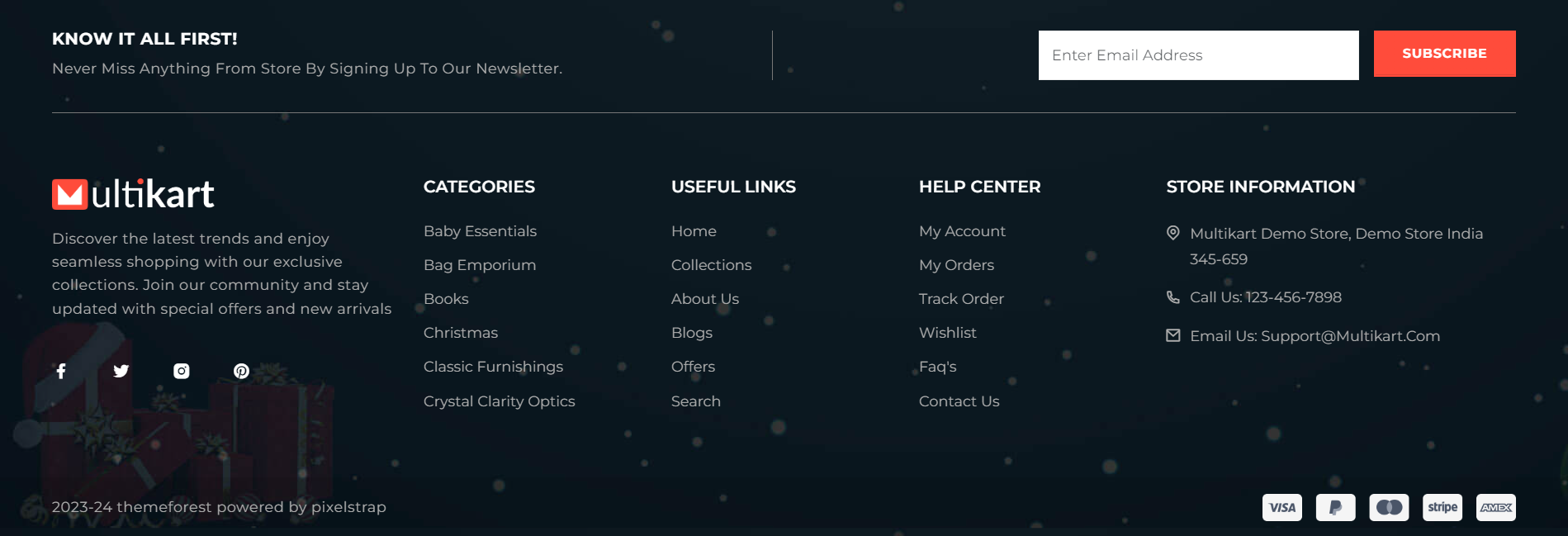
Footer About
"footer_copyright": true
If you enable this, the copyright content will be visible.
"copyright_content": "2023-24 themeforest powered by pixelstrap",
You can make changes in the Copyright Content.
"footer_about": "Discover the latest trends and enjoy seamless shopping with our exclusive collections.",
You can make changes in the Footer Description.
"about_address": "Multikart Demo Store, Demo Store India 345-659",
You can make changes in the Footer Address.
"about_email": "Support@Multikart.com",
You can make changes in the Footer Email Address.
Select Footer Categories
Then, make changes in the option > footer > footer_categories
{
  "footer_categories": [74,41,98,107,12,55],
  // Other JSON fields
}
Select Footer Link
Then, make changes in the option > footer > useful_link
6 Pages are available: "home", "collections", "about-us", "blogs", "offers", "search"
You can also add more pages by adding the string name in "useful_link"
{
  "useful_link": ["home", "collections", "about-us", "blogs", "offers", "search"],
  // Other JSON fields
}
Warning: For the new page, you have to create component and routing!
Contact us
Then, make changes in the option > footer
You will be able to make changes in the values in the below keys.
"support_number": "+1-555-186-5359",
"support_email": "support@gmail.com",
"play_store_url": "https://google.com/",
"app_store_url": "https://apple.com/",
"social_media_enable": true,
"facebook": "https://facebook.com/",
"instagram": "https://instagram.com/",
"twitter": "https://twitter.com/",
"pinterest": "https://pinterest.com/"
Collection
Set Default Collection Style
Then, make changes in the option > collection > collection_layout
{
  "collection_layout": "collection_category_slider",
  // Other JSON fields
}
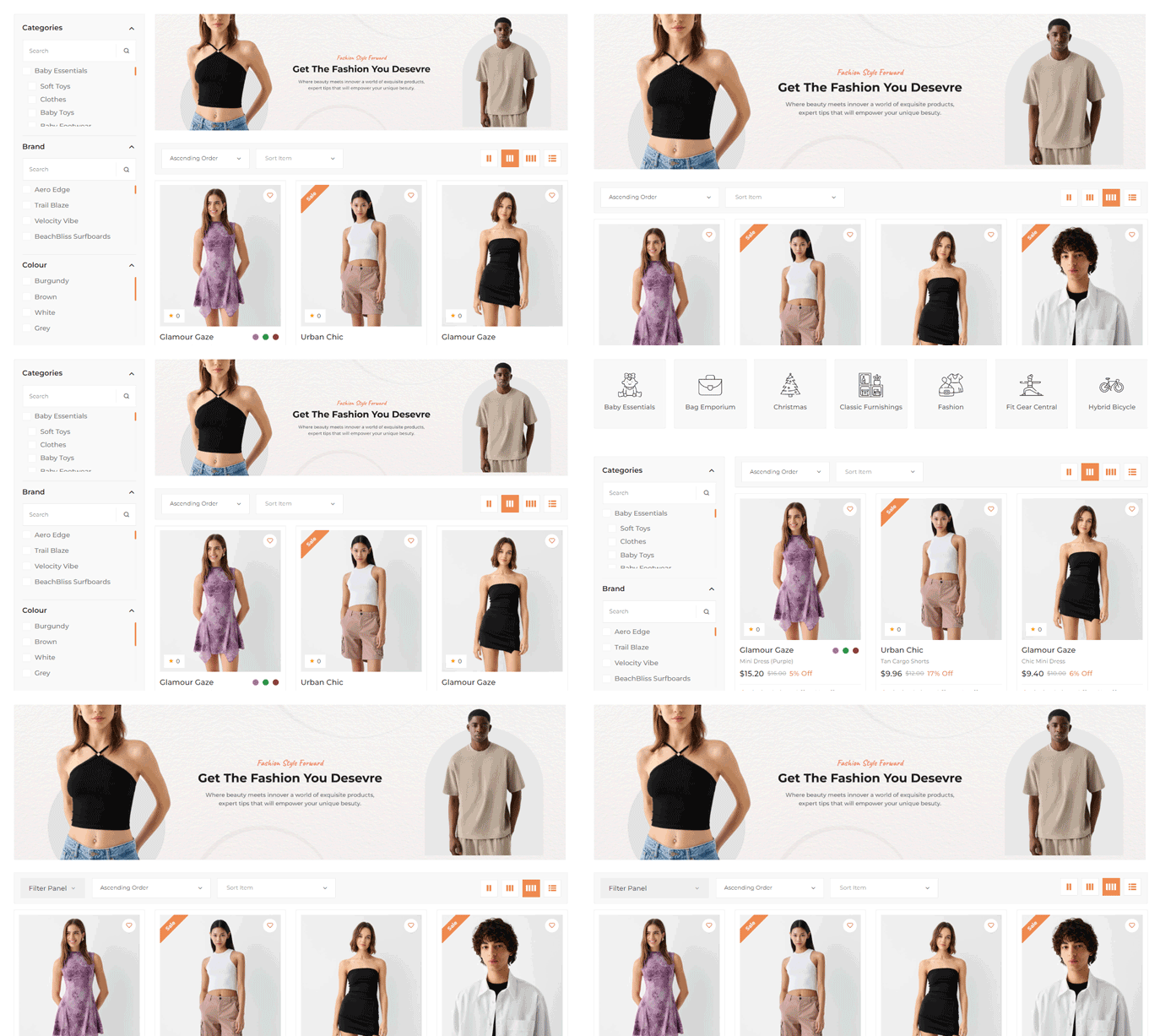
1) Collection Left Sidebar
2) Collection Right Sidebar
3) Collection No Sidebar
4) Collection 3 Grid
5) Collection 4 Grid
6) Collection 5 Grid
7) Lection List View
8) Category slider
9) Category sidebar
10) Category banner
11) Offcanvas Filter
Collection Page Layout :
Banner Image : Can be used in all Collection Style excluding these 3: Category slider, Category sidebar, and Offcanvas Filter
Product
Set Default Product Page Layout
Then, make changes in the option > product > product_layout
{
  "product_layout": "product_thumbnail",
  // Other JSON fields
}
1) Product Image
2) Product Thumbnail
3) Product Slider
4) Product Sticky
5) Product Tabs
6) Product Accordion
7) Product Digital
"is_trending_product": true,
Enabling this will showcase the product in the sidebar of the product page as a trending item.
"banner_enable": true,
Enabling this will showcase the banner in the sidebar of the product page.
"safe_checkout": true,
A safe checkout image will appear on the product page.
"encourage_order": true,
A random order count between 1 and 100 will be displayed to motivate user purchases.
"encourage_max_order_count": 50,
Specify a number between 1 and 10 to encourage orders.
"encourage_view": true,
This feature encourages users to view products by presenting engaging content or prompts.
"encourage_max_view_count": true,
This feature encourages users to view products by presenting engaging content or prompts.
"sticky_checkout": true,
Enable to make the Add to Cart and checkout options sticky at the bottom of the product page.
"sticky_product": true,
Enable to showcase random products at the bottom of the website.
"social_share": true,
Enable this option to allow users to share the product on social media platforms.
"shipping_and_return": "<p>Shipping and Returns are integral parts of your..,
Enable to showcase random products at the bottom of the website.
Blog
Set Default Blog Style
Then, make changes in the option > blog > blog_style
Change the value of "blog_style" from "grid_view" to "list_view," like this
{
  "blog_style": "list_view",
  // Other JSON fields
}
Blog Style :
Select blog style
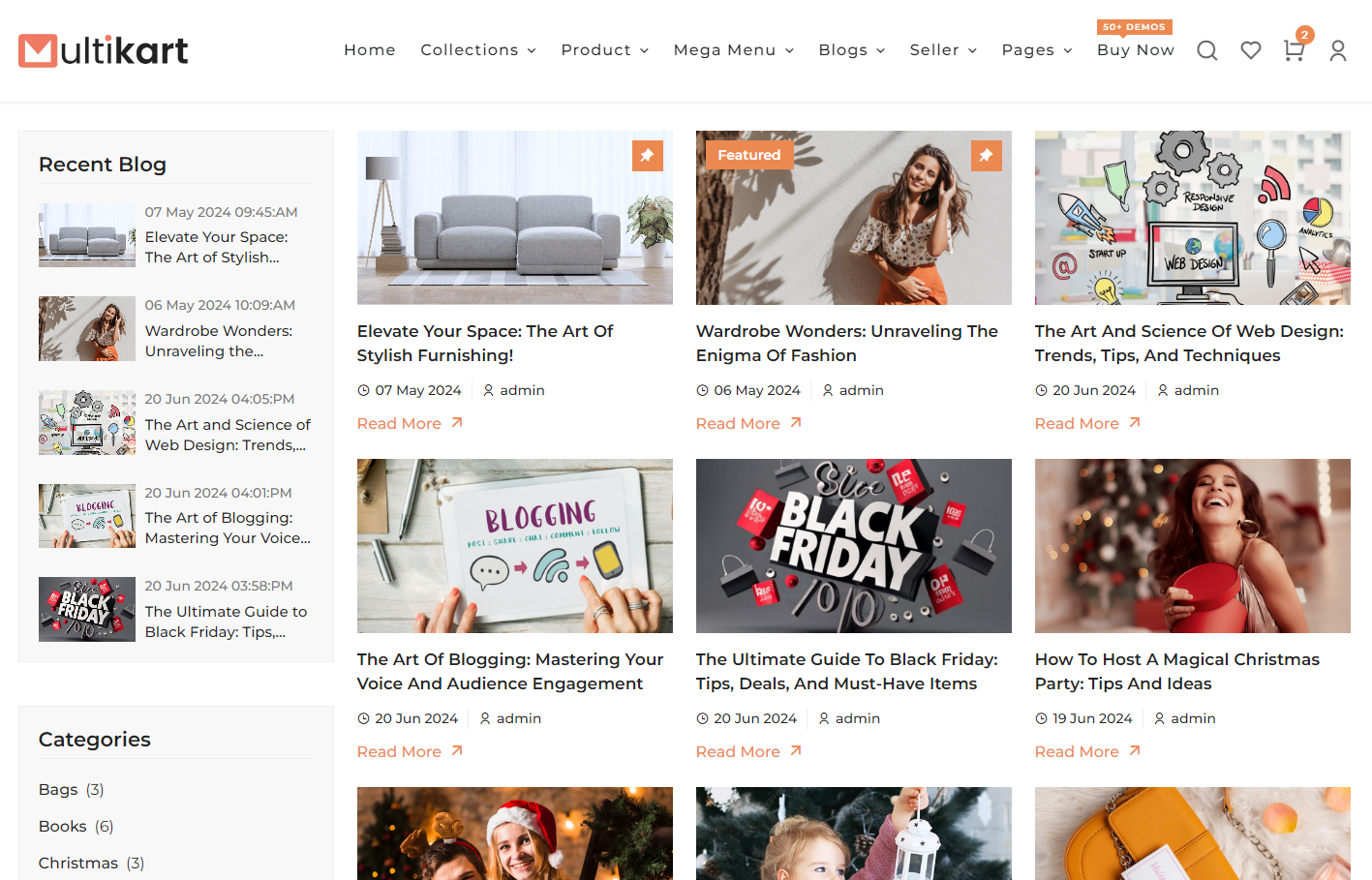
Blog Grid
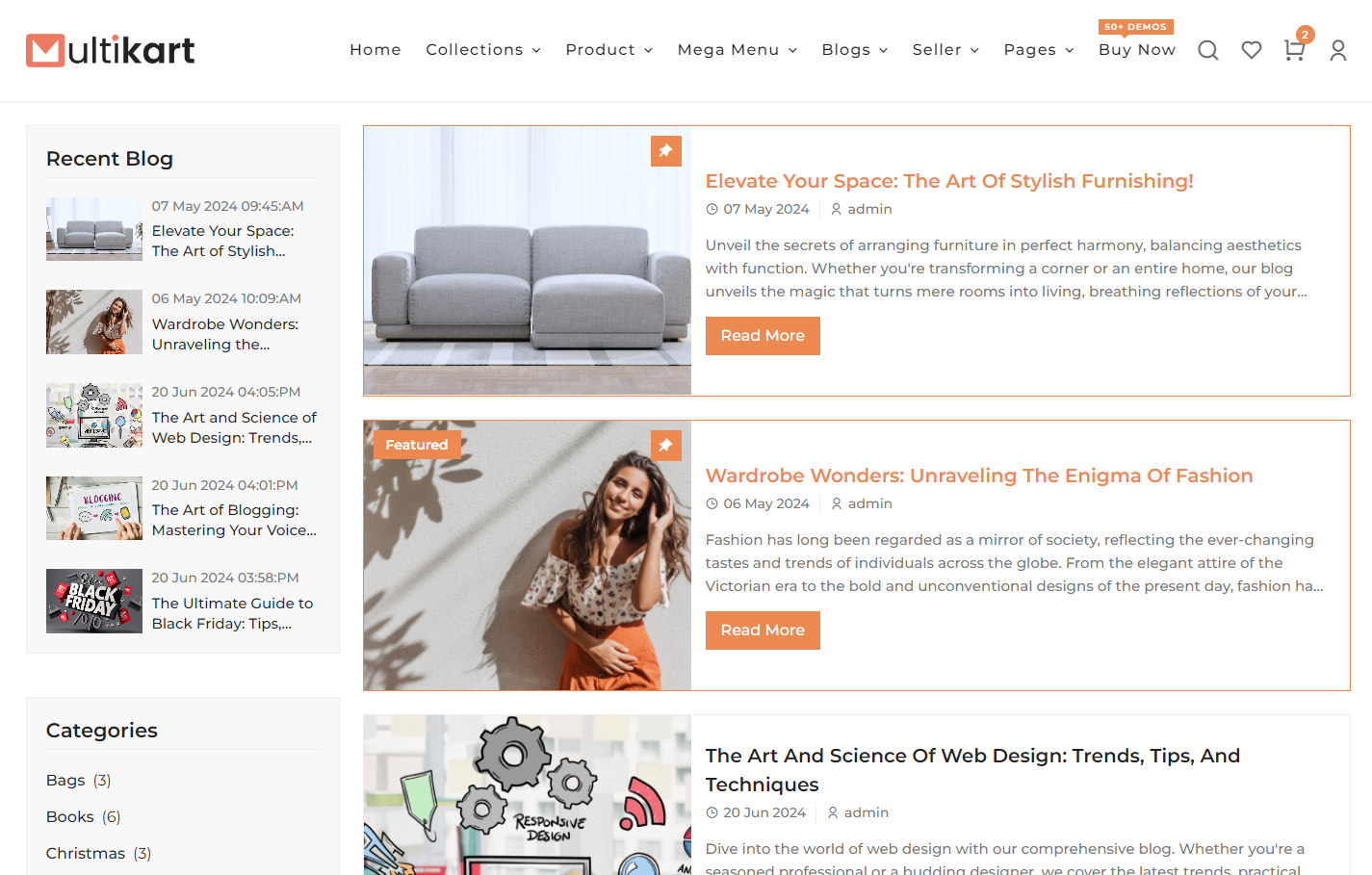
Blog List
Set Blog Sidebar Type
Then, make changes in the option > blog > blog_style
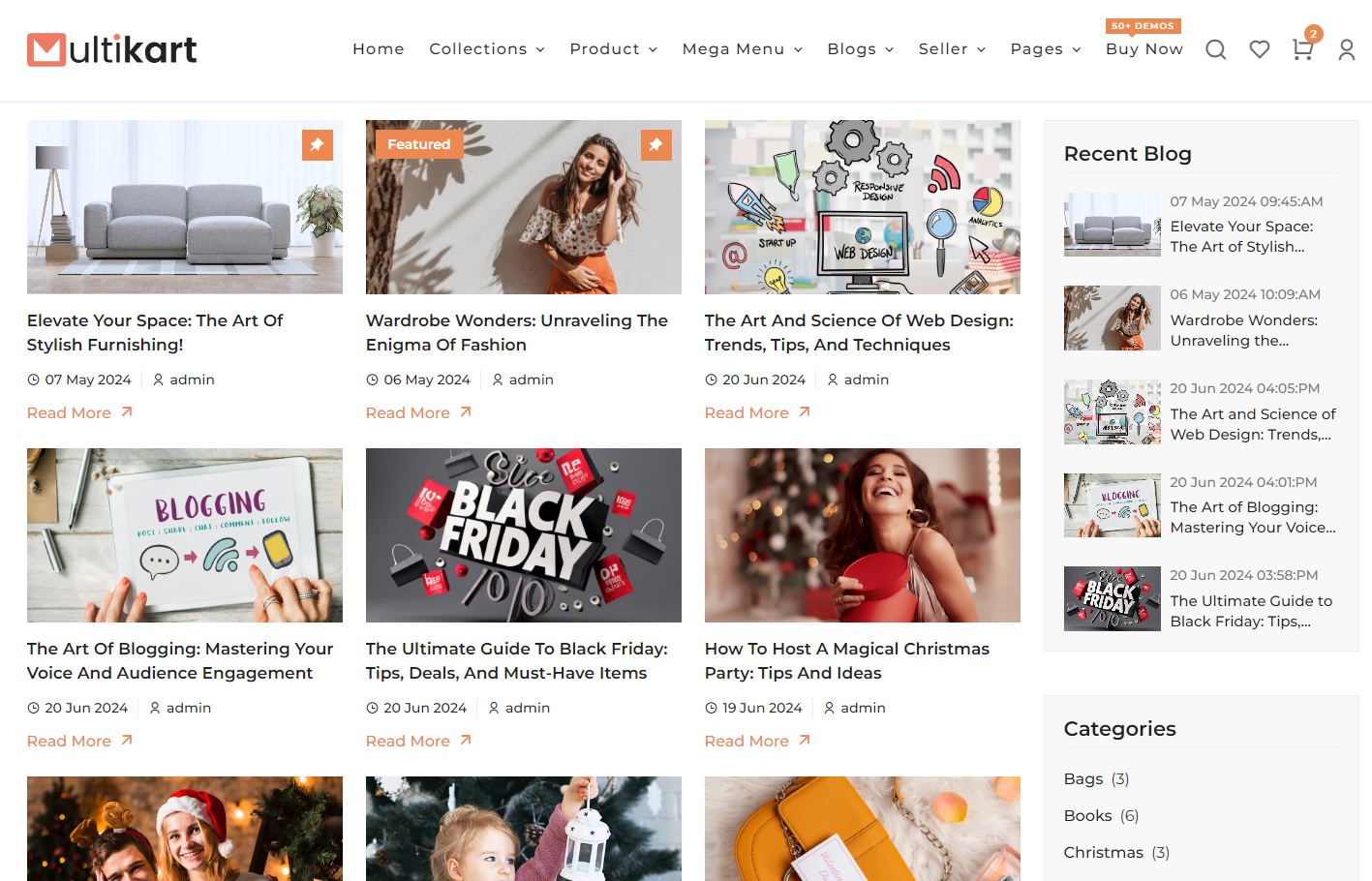
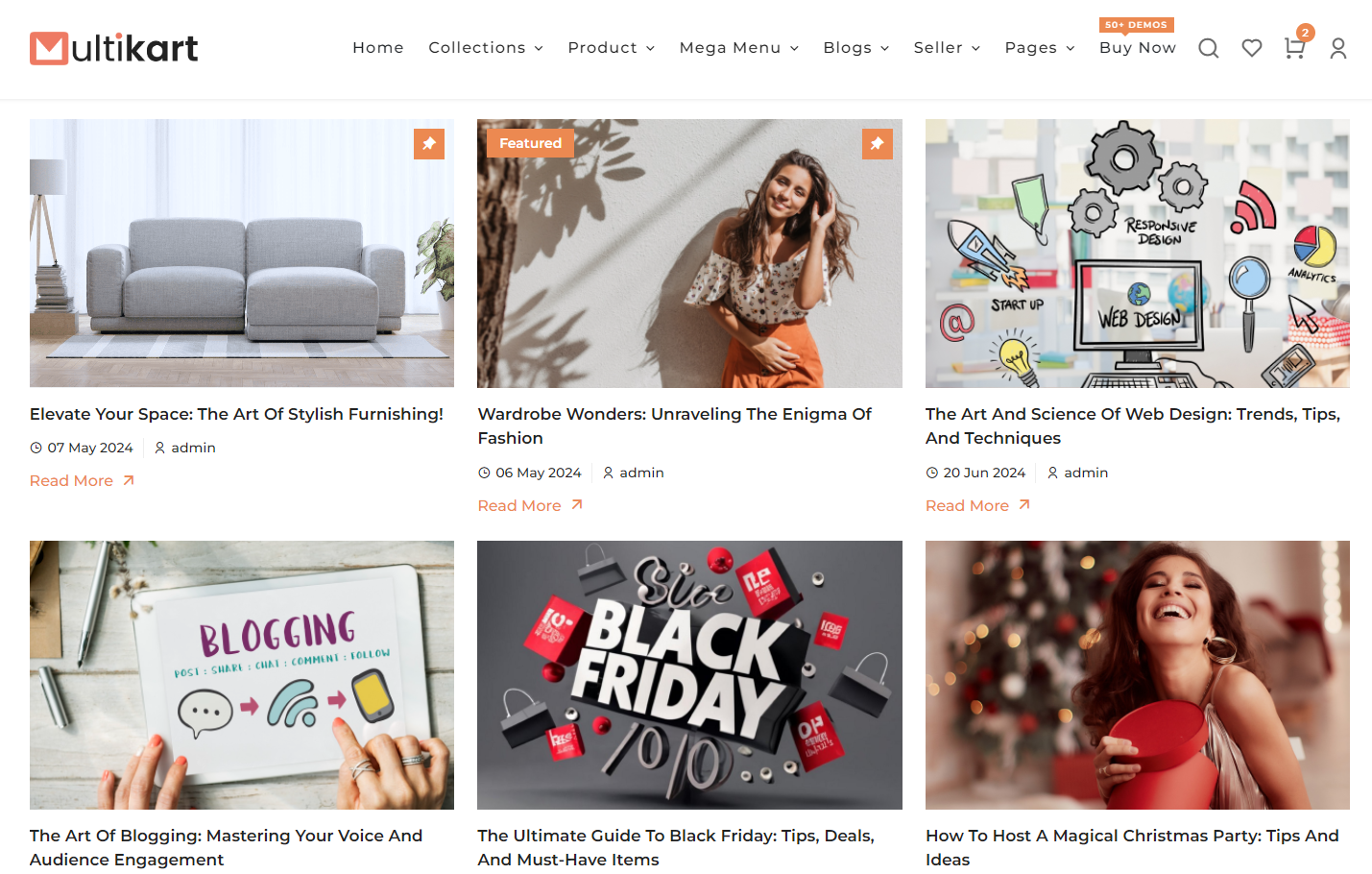
3 Option "left_sidebar", "right_sidebar", and "no_sidebar"
{
  "blog_sidebar_type": "left_sidebar",
  // Other JSON fields
}
Left Sidebar
Right Sidebar
No Sidebar
"blog_author_enable": true,
Enable this option to show blog author name.
"read_more_enable": true,
Enable this option to show blog box in Read More button.
Seller
Seller Configuration
In seller themeOptions.json > Then, make changes in the option > seller , you can make changes in the Seller Page Content.
"seller": {
  "about": {
      "title": "Start Your Business With Multikart & Reach Customers Across The World...",
      "status": true,
      "image_url": "/images/placeholder/seller/seller_banner.png",
      "description": "Sed ut perspiciatis unde omnis iste natus error sit voluptatem accusantium doloremque laudantium,\n\nOn the other hand, we denounce with righteous indignation and dislike men who are so beguiled and demoralized by the charms of pleasure of the moment, so blinded by desire, that they cannot foresee the pain and trouble that are bound to ensue; and equal blame belongs to those who fail in their duty through weakness of will, which is the same as saying through shrinking from toil and pain. These cases are perfectly simple and easy to distinguish. In a free hour, when our power of choice is untrammelled and when nothing prevents our being able to do what we like best, every pleasure is to be welcomed and every pain avoided. But in certain circumstances and owing to the claims of duty or the obligations of business it will frequently occur that pleasures have to be repudiated and annoyances accepted. The wise man therefore always holds in these matters to this principle of selection: he rejects pleasures to secure other greater pleasures, or else he endures pains to avoid worse pains."
  },
  "steps": {
      "title": "Doing Business On Multikart Is Really Easy",
      "status": true,
      "step_1": {
          "title": "List your products & Get support service provider",
          "description": "Register your business for free and create a product catalogue. Sell under your own private label or sell an existing brand. Get your documentation & cataloging done with ease from our Professional Services network."
      },
      "step_2": {
          "title": "Receive Orders & Schedule A Pickup",
          "description": "Once listed, your products will be available to millions of users.Get orders and manage your online business via our Seller Panel and Seller Zone Mobile App."
      },
      "step_3": {
          "title": "Receive Quick Payment & Grow Your Business",
          "description": "Receive quick and hassle-free payments in your account once your orders are fulfilled. Expand your business with low interest & collateral-free loans."
      }
  },
  "services": {
      "title": "WHY SELL ON MULTIKART?",
      "status": true,
      "service_1": {
          "title": "lowest cost",
          "image_url": "/images/placeholder/seller/seller_service.png",
          "description": "Contrary to popular belief, Lorem Ipsum is not simply random text."
      },
      "service_2": {
          "title": "high growth rate",
          "image_url": "/images/placeholder/seller/seller_service.png",
          "description": "Contrary to popular belief, Lorem Ipsum is not simply random text"
      },
      "service_3": {
          "title": "dedicated pickup",
          "image_url": "/images/placeholder/seller/seller_service.png",
          "description": "Contrary to popular belief, Lorem Ipsum is not simply random text"
      },
      "service_4": {
          "title": "most approachable",
          "image_url": "/images/placeholder/seller/seller_service.png",
          "description": "Contrary to popular belief, Lorem Ipsum is not simply random text"
      }
  },
  "start_selling": {
      "title": "Start Selling",
      "status": true,
      "description": "Multikart marketplace is India’s leading platform for selling online. Be it a manufacturer, vendor or supplier, simply sell your products online on Multikart and become a top ecommerce player with minimum investment. Through a team of experts offering exclusive seller workshops, training, seller support and convenient seller portal, Multikart focuses on educating and empowering sellers across India. Selling on Multikart.com is easy and absolutely free. All you need is to register, list your catalogue and start selling your products."
  }
}
Error Page
Error Page
Then, make changes in the option > error_page
"error_page": {
  "back_button_text": "back to home",
  "back_button_enable": true,
  "error_page_content": "page not found"
}

SEO Configuration
Then, make changes in the option > seo
"seo": {
  "og_title": "MultiKart Marketplace: Uniting Vendors for Shopping Excellence",
  "meta_tags": "Multikart Marketplace: Where Vendors Shine Together",
  "meta_title": "Online Marketplace, Vendor Collaboration, E-commerce Platform",
  "og_image_id": 107,
  "og_description": "Experience a unique shopping journey at MultiKart Marketplace, where vendors collaborate to provide a vast array of products. Explore, shop, and connection in one convenient destination.",
  "meta_description": "Discover MultiKart Marketplace – a vibrant online platform where vendors unite to showcase their products, creating a diverse shopping experience. Explore a wide range of offerings and connect with sellers on a single platform.",
  "og_image": {
      "id": 107,
      "name": "fashion_two_1",
      "file_name": "fashion_two_1.png",
      "mime_type": "image/png",
      "disk": "public",
      "created_by_id": "1",
      "created_at": "2024-05-06T03:56:14.000000Z",
      "asset_url": "/storage/107/fashion_two_1.png",
      "original_url": "/images/placeholder/fashion_two_1.png"
  }
},