
Advance UI Elements
Tree Offical link Preview link
To use java script you have to add the following style and script tag
npm i svelte-tree-view-component
<script>
    import { TreeView, TreeBranch, TreeLeaf } from "svelte-tree-view-component";
</script>
<TreeView>
    <TreeBranch rootContent="Root">
        <TreeBranch defaultClosed rootContent="Applications">
            <TreeBranch rootContent="ECommerce">
                <TreeLeaf>Product</TreeLeaf>
                <TreeLeaf>Cart</TreeLeaf>
                <TreeLeaf>Invoice</TreeLeaf>
            </TreeBranch>
            <TreeBranch rootContent="Users">
                <TreeLeaf>Users-profile</TreeLeaf>
                <TreeLeaf>Users-edit</TreeLeaf>
                <TreeLeaf>Users-cards</TreeLeaf>
            </TreeBranch>
            <TreeBranch rootContent="Chat">
                <TreeLeaf>Chat-app</TreeLeaf>
                <TreeLeaf>Video-chat</TreeLeaf>
            </TreeBranch>
        </TreeBranch >
        <TreeBranch rootContent="Components">
            <TreeBranch rootContent="UI-Kits">
                <TreeLeaf>Typography</TreeLeaf>
                <TreeLeaf>Avatars</TreeLeaf>
                <TreeLeaf>Grid</TreeLeaf>
            </TreeBranch>
            <TreeBranch rootContent="Bonus-UI">
                <TreeLeaf>Toasts</TreeLeaf>
                <TreeLeaf>Rating</TreeLeaf>
                <TreeLeaf>Pagination</TreeLeaf>
            </TreeBranch>
            <TreeBranch rootContent="Charts">
                <TreeLeaf>Apex-chart</TreeLeaf>
                <TreeLeaf>Google-chart</TreeLeaf>
            </TreeBranch>
        </TreeBranch >
        <TreeBranch rootContent="Miscellaneous">
            <TreeBranch defaultClosed rootContent="Gallery">
                <TreeLeaf>Gallery-grid</TreeLeaf>
                <TreeLeaf>Gallery-grid-desc</TreeLeaf>
                <TreeLeaf>Masonry-gallery</TreeLeaf>
            </TreeBranch>
            <TreeBranch rootContent="Blog">
                <TreeLeaf>Blog-details</TreeLeaf>
                <TreeLeaf>Blog-single</TreeLeaf>
                <TreeLeaf>Add-post</TreeLeaf>
            </TreeBranch>
            <TreeBranch rootContent="Charts">
                <TreeLeaf>Apex-chart</TreeLeaf>
                <TreeLeaf>Google-chart</TreeLeaf>
            </TreeBranch>
        </TreeBranch >
    </TreeBranch>
</TreeView>
Notify Offical link Preview link
To use java script you have to add the following script tag
npm i svelte-toasts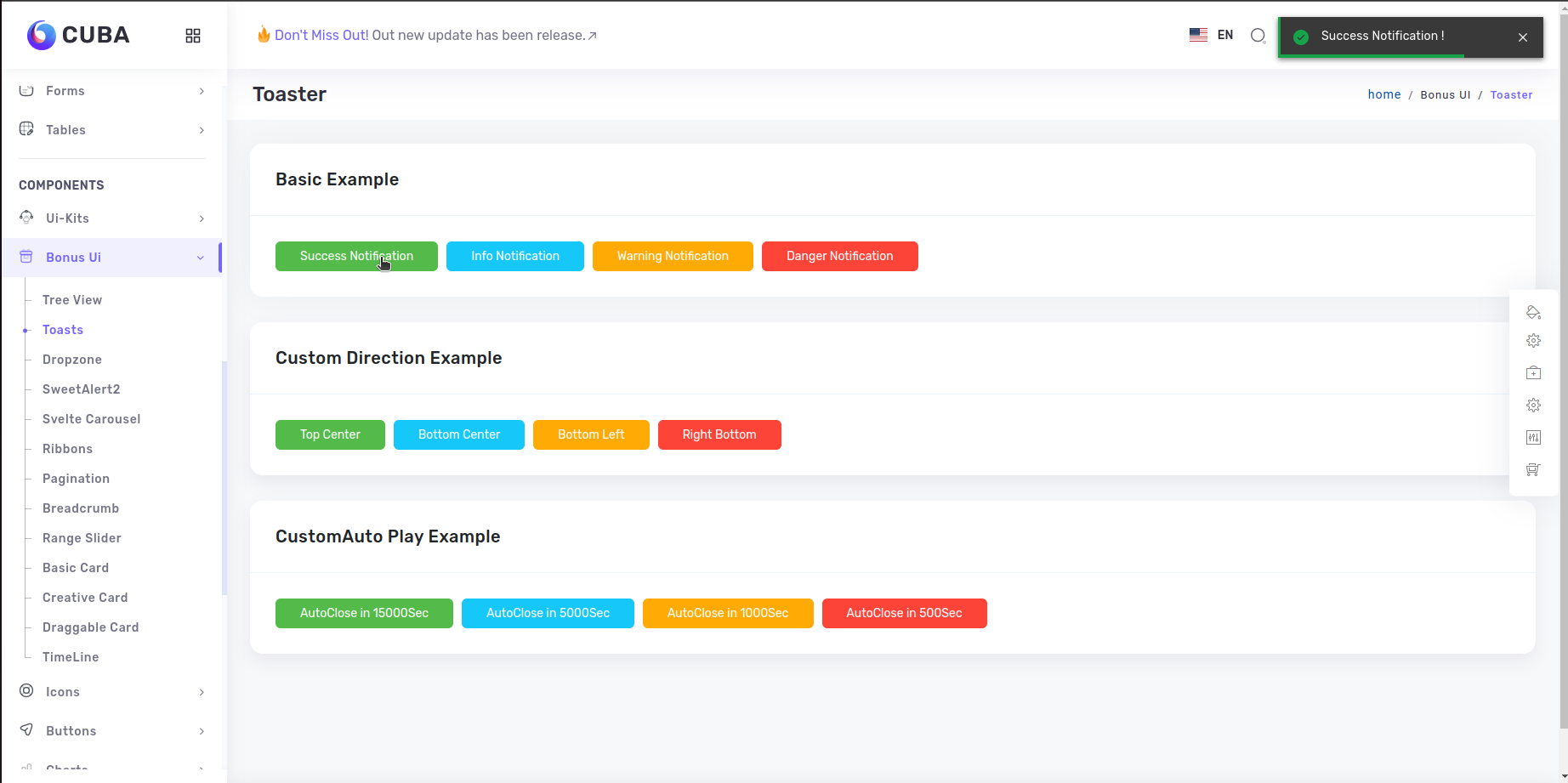
<script>
    import { Button, Col } from 'sveltestrap'
    import Card from '../../core/card.svelte'
    import { toasts, ToastContainer, FlatToast } from 'svelte-toasts'
    import { BasicExample} from '../../../utils/Constant/Constant'
    import data from "../../../data/BonusUi/Toasts.json"
    const basicToaster = (toastname) => {
        switch (toastname) {
        case 'basicsuccessToast':
            toasts.add({
            theme: 'dark',
            description: 'Success Notification !',
            placement: 'top-right',
            type: 'success',
            showProgress: true,
            })
            break
        case 'basicinfoToast':
            toasts.add({
            description: 'Info Notification !',
            placement: 'top-right',
            type: 'info',
            showProgress: true,
            })
            break
        case 'basicwarningToast':
            toasts.add({
            description: 'Warning Notification !',
            placement: 'top-right',
            type: 'warning',
            showProgress: true,
            })
            break
        case 'basicdangerToast':
            toasts.add({
            description: 'Danger Notification !',
            placement: 'top-right',
            type: 'error',
            showProgress: true,
            })
            break
        default:
            break
        }
    }
</script>
<ToastContainer {toasts} let:data>
    <FlatToast {data} />
</ToastContainer>
<Col sm="12">
    <Card headerTitle={BasicExample} cardBodyProps="btn-showcase">
        <div slot="content">
            {#each data.toasterData as toasterItem}
                <Button
                name={toasterItem.name}
                color={toasterItem.color}
                on:click={(e) => basicToaster(e.target.name)}>
                    {toasterItem.title}
                </Button>
            {/each}
        </div>
    </Card>
</Col>
Dropzone Offical link Preview link
To use java script you have to add the following style and script tag
npm i svelte-file-dropzone.png)
<script>
    import Card from "../../core/card.svelte";
    import { Col } from "sveltestrap";
    import Dropzone from "svelte-file-dropzone";
    import { DefaultFileUpload, DefaultFileUploadMessage } from "../../../utils/Constant/Constant";
    let files = {
        accepted: [],
        rejected: [],
    };

    function handleFilesSelect(e) {
        const { acceptedFiles, fileRejections } = e.detail;
        files.accepted = [...files.accepted, ...acceptedFiles];
        files.rejected = [...files.rejected, ...fileRejections];
    }
</script>
<div class="dropzone-content">
    <Dropzone on:drop={handleFilesSelect} multiple={false} />
    <ol>
        {#each files.accepted as dropItem}
            <li>{dropItem.name}</li>
        {/each}
</div>
Sweetalert Offical link Preview link
To use java script you have to add the following style and script tag
npm i sweetalert.png )
<script>
    import swal from 'sweetalert';
    const handleAlert =()=>{
        swal("Welcome! to the cuba theme");
    }
</script>
<Button color="primary" class="sweet-1" on:click={handleAlert}>
    {Clickit}
</Button>
Range slider Offical link Preview link
To use java script you have to add the following style and script tag
npm i svelte-range-slider-pips.png)
<script>
    import RangeSlider from 'svelte-range-slider-pips';
</script>
<RangeSlider range="min" value={[550]} first='label' last='label' min={100} max={1000} float />